
How to Dominate Local SEO With Google Business Profile

What Is Google Business Profile and How Does It Work
Google Business Profile is Google’s free platform that lets you manage how your business appears across Google Search and Google Maps. When someone searches for businesses like yours or looks for services in your area, your profile can appear in the local pack (the map with three business listings), Google Maps results, and the knowledge panel on the right side of search results.
The system works by collecting information about your business – your address, phone number, hours, services, photos, and customer reviews – then displaying this information when potential customers search for relevant terms. Google uses over 200 factors to determine which businesses show up first, including proximity to the searcher, relevance to their query, and the prominence of your business online.
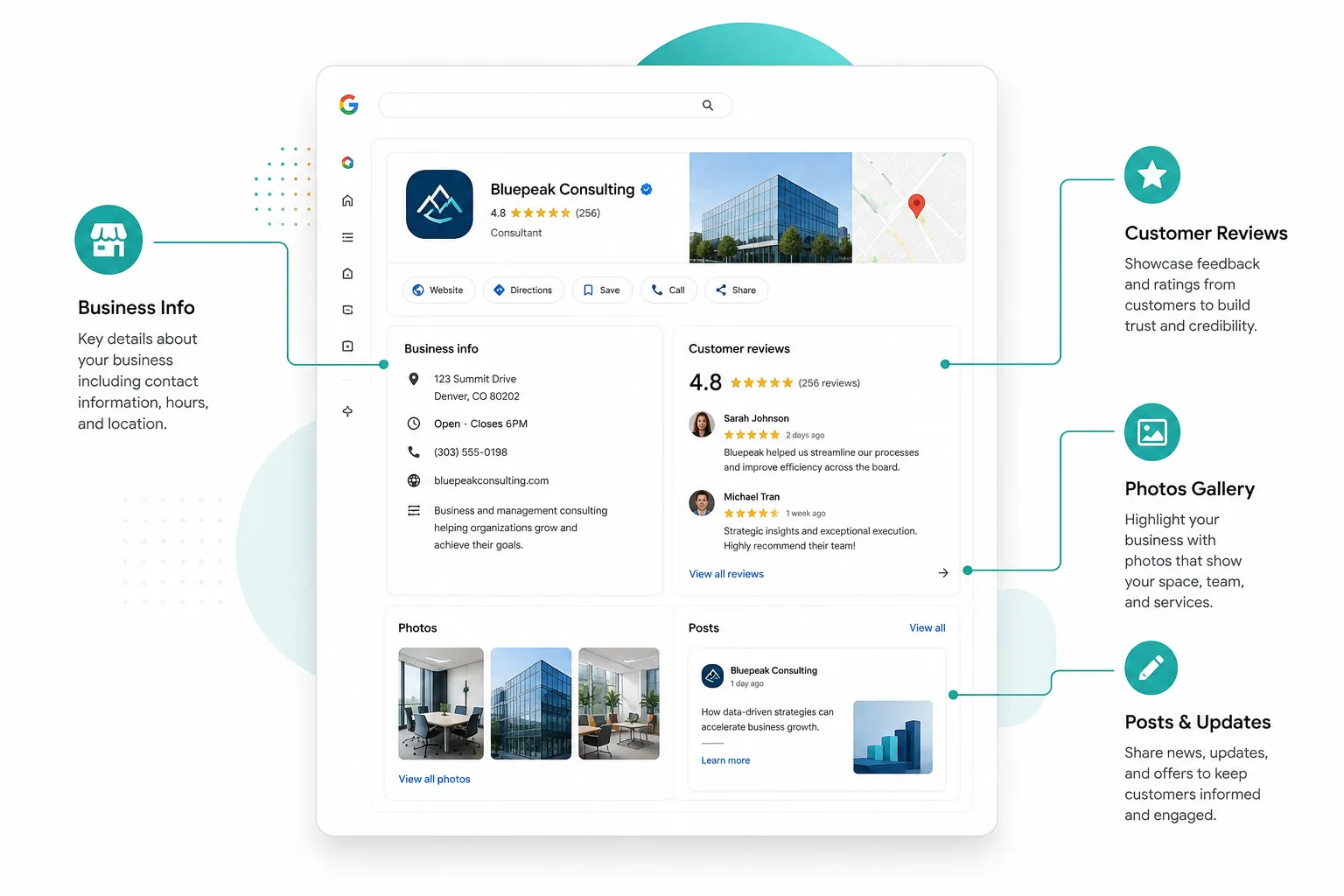
Your profile connects directly to Google’s massive search network. When you update your business hours, Google automatically shows the correct information to searchers. When customers leave reviews, they appear immediately on your profile. When you post updates or photos, Google can show them in search results to make your listing more appealing.
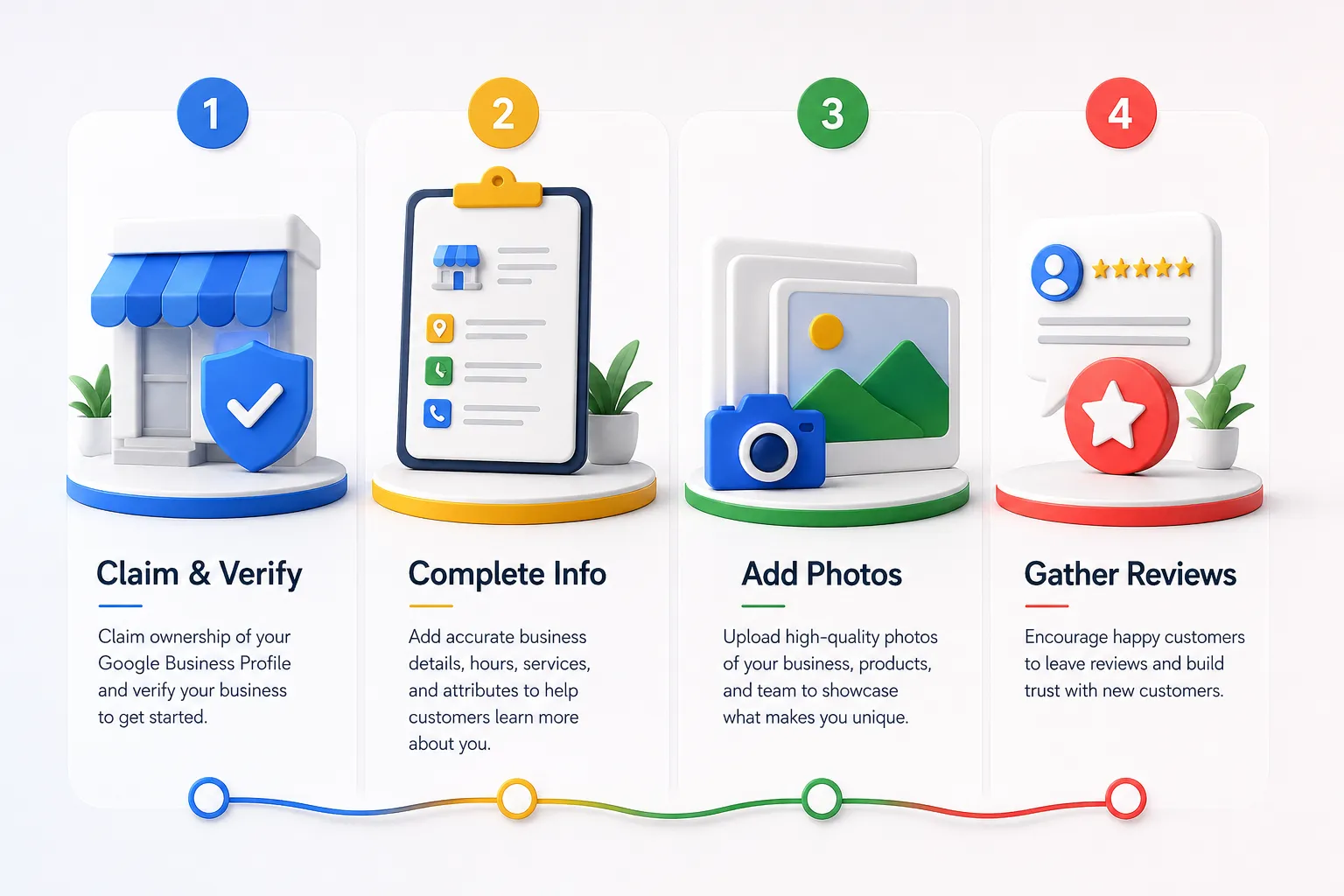
The verification process is straightforward: Google sends a postcard to your business address with a verification code. Once you enter that code, your profile becomes fully active and eligible to appear in local search results. Some businesses can verify by phone or email, but most use the postcard method.
How Does Google Business Profile Help With Local SEO Rankings
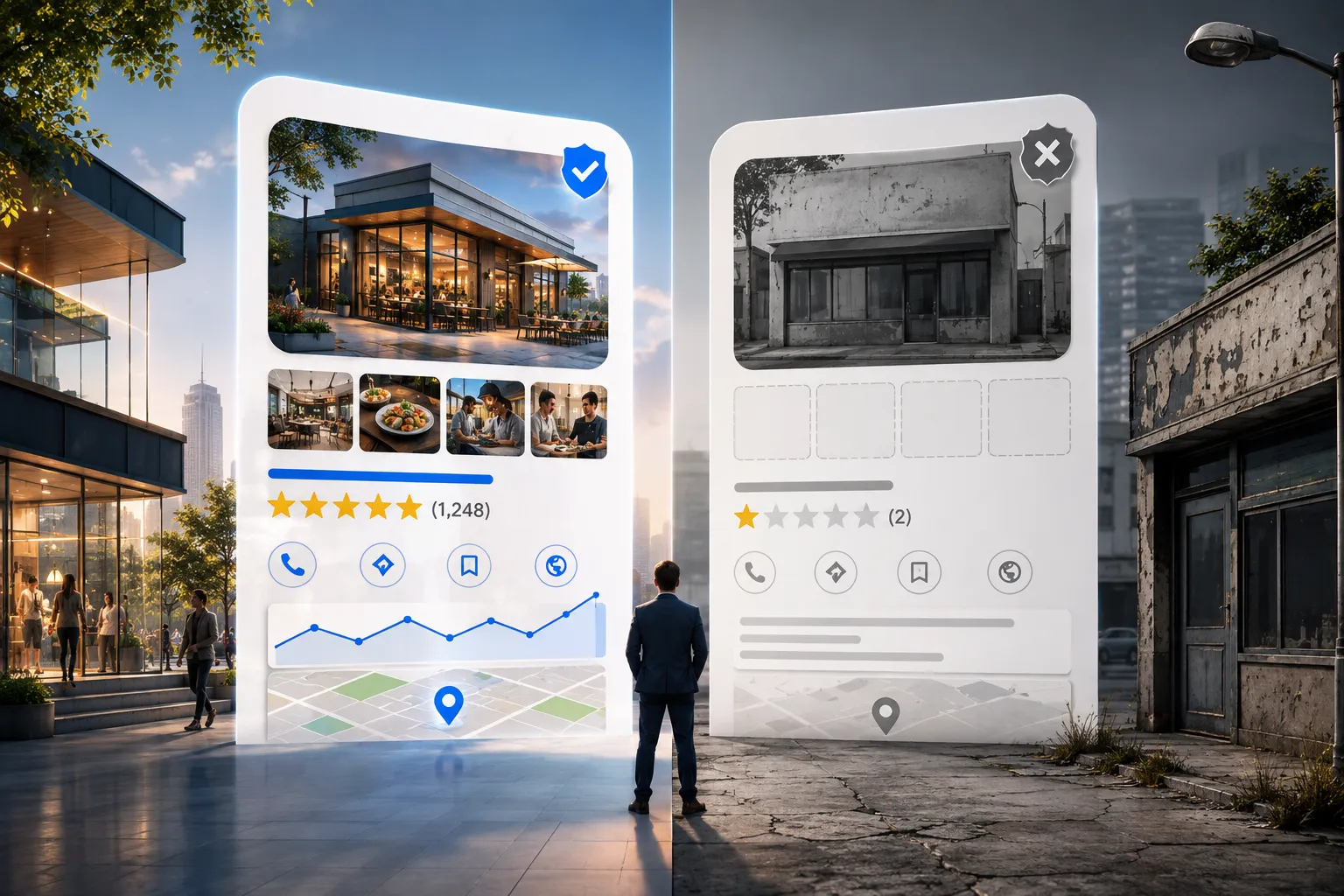
Google Business Profile directly impacts your local SEO rankings through several key mechanisms. Your profile serves as a trust signal to Google, showing that you’re a legitimate business with a physical location. Complete profiles with accurate information, regular updates, and positive reviews consistently rank higher in local search results.
The platform influences three critical local SEO factors: proximity, relevance, and prominence. Proximity refers to how close your business is to the searcher’s location. Relevance measures how well your business matches what the person is searching for. Prominence considers how well-known your business is, both online and offline.
Your Google Business Profile boosts relevance by letting you specify exactly what services you offer, what products you sell, and what keywords describe your business. When someone searches for “plumber near me” or “best pizza in downtown,” Google looks at your profile’s categories, description, and posts to determine if you’re a good match.
Reviews play a massive role in local rankings. Businesses with higher average ratings and more total reviews typically outrank competitors with fewer or lower-rated reviews. Google also considers review velocity – how frequently you receive new reviews – and your response rate to customer feedback.
Regular posting on your Google Business Profile signals to Google that your business is active and engaged with customers. These posts can include updates about new services, special offers, events, or helpful information for customers. Active profiles tend to rank higher than dormant ones.
Do I Need a Google Business Profile for My Small Business
Yes, if you serve customers at a physical location or within a specific geographic area, you absolutely need a Google Business Profile. This applies to retail stores, restaurants, service businesses that visit customers’ locations, medical practices, law firms, and virtually any business that depends on local customers.
Even if you think your business is “too small” or “too niche,” you still benefit from having a profile. Local search happens constantly – people search for “locksmith near me” at 2 AM, “urgent care open now” on weekends, and “best tacos” when they’re hungry. Without a Google Business Profile, you’re invisible during these high-intent moments.
The profile is particularly crucial if you compete with larger businesses or franchises. A well-optimized Google Business Profile can help a small, local business outrank big chains in local search results. We’ve seen small restaurants rank above major fast-food chains and independent repair shops appear before national service companies.
You don’t need a profile if: you’re a purely online business with no local service area, you only serve customers nationally or internationally, or you’re a business that customers never visit (like some B2B software companies). However, even many online businesses benefit from local SEO if they want to attract customers in specific cities or regions.
The cost argument doesn’t apply here – Google Business Profile is completely free. The time investment is minimal compared to the potential return. Setting up a basic profile takes about 30 minutes, and maintaining it requires just a few minutes per week.
How to Optimize Google Business Profile for Better Visibility
Google Business Profile optimization starts with completing every available field in your profile. Include your exact business name, accurate address, local phone number, website URL, business hours, and a detailed business description that naturally incorporates the services you offer.
Choose the right primary category for your business from Google’s predefined list. This is crucial because it tells Google what type of searches should trigger your business listing. You can add secondary categories, but the primary category carries the most weight. A restaurant should choose “Restaurant” as primary, not “Event venue,” even if they host events.
Upload high-quality photos regularly. Google recommends businesses post new photos every few days. Include exterior and interior shots of your business, photos of your products or services, team photos, and behind-the-scenes images that show your business personality. Photos with people in them tend to perform better than empty spaces.
Write compelling posts at least once per week. These can announce new products, share helpful tips related to your industry, highlight customer success stories, or promote special offers. Posts appear in your Google Business Profile and can show up in search results, giving you extra visibility.
Respond to every review, both positive and negative. Thank customers for positive reviews and address concerns in negative reviews professionally. Google tracks your response rate and response time, and both factors influence your local ranking. Aim to respond within 24 hours when possible.
Keep your information updated constantly. Change your hours for holidays, update your phone number if it changes, and modify your services list as your business evolves. Inconsistent information across the web hurts your local SEO rankings.
Google Business Profile vs Google Maps: What’s the Difference
Google Business Profile is the management platform where you control your business information, while Google Maps is one of the places where that information appears to customers. Think of Google Business Profile as the dashboard and Google Maps as the storefront window.
When you update your Google Business Profile, those changes automatically appear on Google Maps, Google Search results, and other Google services. Your profile is the single source of truth that feeds information to all these different places where customers might discover your business.
Google Maps specifically shows: your business location on the map, driving directions to your business, your business hours and contact information, customer reviews and ratings, and photos of your business. It’s designed to help people find and visit your physical location.
Google Business Profile includes additional features that don’t appear on Maps, such as detailed analytics about how customers find your business, messaging capabilities for customer communication, and the ability to create posts and offers. You can also manage multiple locations from your Google Business Profile dashboard.
The confusion often arises because many people discover businesses through Google Maps, but the business owner manages everything through Google Business Profile. When someone leaves a review on Google Maps, you respond to it through your Google Business Profile dashboard.
How Long Does It Take to Rank on Google Maps
Most verified Google Business Profiles begin appearing in local search results within 2-4 weeks of verification, but achieving top rankings typically takes 3-6 months of consistent optimization efforts. The timeline depends heavily on your competition, location, and how thoroughly you optimize your profile.
Immediate visibility factors include completing your profile 100%, uploading quality photos, and getting your first few customer reviews. These elements can help you appear in search results quickly, even if you’re not ranking at the very top initially.
Competitive markets take longer to crack. If you’re a dentist in a major city with hundreds of other dental practices, ranking in the top three local results will take more time and effort than if you’re the only bakery in a small town. Google needs time to assess your relevance and prominence compared to established competitors.
The 90-day mark is typically when businesses see significant ranking improvements, assuming they’ve been consistently adding reviews, posting updates, and maintaining accurate information. This is when Google has enough data to confidently rank your business against competitors.
Factors that speed up the process include getting reviews quickly (but naturally), posting regular updates, responding to all customer interactions, and ensuring your website and other online listings match your Google Business Profile information exactly.
Don’t expect overnight success, but don’t wait to get started either. The sooner you claim and optimize your profile, the sooner you’ll start building the signals Google uses to rank local businesses.
What Information Should I Put on My Google Business Profile
Start with the basics: your exact business name as it appears on your storefront or official documents, your complete address including suite numbers, your primary business phone number, and your website URL. These four elements must be consistent across your Google Business Profile, website, and all other online listings.
Your business description should be 750 characters or less and clearly explain what you do, who you serve, and what makes you different. Include natural mentions of your key services and location. For example: “Family-owned Italian restaurant in downtown Springfield serving authentic pasta, wood-fired pizza, and fresh seafood since 1985. Catering and private dining available.”
Choose your primary business category carefully from Google’s predefined list, then add relevant secondary categories. A law firm might choose “Law Firm” as primary and add “Personal Injury Attorney” and “Family Law Attorney” as secondary categories.
Upload your business hours, including special hours for holidays. Add attributes that apply to your business, such as “wheelchair accessible,” “free Wi-Fi,” “outdoor seating,” or “accepts credit cards.” These attributes help customers understand what to expect and can influence their decision to visit.
Include service areas if you travel to customers’ locations. Specify the cities, zip codes, or radius you serve. This helps you appear in searches from those areas even if the searcher isn’t near your business address.
Add your menu (for restaurants), services list (for service businesses), or product categories (for retail). The more specific information you provide, the better Google can match your business to relevant searches.
How to Get More Reviews on Your Google Business Profile
The most effective way to get Google reviews is to ask satisfied customers directly, immediately after providing excellent service. Train your staff to identify happy customers and ask them to share their experience online. Timing matters – ask while the positive experience is fresh in their minds.
Make the process easy by creating a simple system. You can generate a direct link to your Google review page and share it via text, email, or QR code. Some businesses print QR codes on receipts or business cards that take customers directly to the review page.

Follow up with customers after their visit or service completion. Send a thank-you email that includes a gentle request for feedback. Don’t be pushy, but do be specific about the value their review provides to other potential customers.
Respond to every review you receive, positive and negative. Thank reviewers for their time and address any concerns professionally. This shows potential customers that you care about feedback and are actively engaged with your community.
Never buy fake reviews or incentivize reviews with discounts or freebies – Google can detect these patterns and will penalize your business. Instead, focus on consistently delivering excellent service that naturally motivates customers to share their experiences.
Consider implementing a feedback system that captures unhappy customers before they leave public reviews. A simple follow-up call or email asking about their experience can help you address issues privately and potentially prevent negative reviews.
The goal isn’t just quantity – you want quality reviews that mention specific services, highlight your strengths, and help potential customers understand what makes your business special.
Google Business Profile Not Showing Up: How to Fix It
If your Google Business Profile isn’t appearing in search results, the most common cause is incomplete verification. Check your Google Business Profile dashboard to ensure you’ve completed the verification process. If you’re still waiting for a verification postcard, you can request a new one through the dashboard.
Duplicate listings are another frequent culprit. If multiple profiles exist for your business, Google may not show any of them prominently. Search for your business name and address to identify duplicates, then request removal of incorrect listings through Google’s support system.
Inconsistent information across the web confuses Google’s algorithms. Ensure your business name, address, and phone number (NAP) are identical on your website, Google Business Profile, Facebook page, and any other online directories. Even small differences like “St.” versus “Street” can cause problems.
Category selection affects visibility significantly. If you’ve chosen categories that don’t match what customers actually search for, you won’t appear in relevant results. Review your primary and secondary categories and adjust them to better match customer search behavior.
Your profile might be showing up, but not where you expect. Search from different locations and devices to get a complete picture. Local rankings vary based on the searcher’s location, so you might rank well for searches from your immediate area but not for searches from across town.
Check for policy violations that might have triggered penalties. Google can suppress profiles that violate their guidelines, such as using fake addresses, keyword-stuffed business names, or inappropriate content in posts or photos.
Best Practices for Google Business Profile Photos and Descriptions
Upload photos that showcase your business personality and help customers know what to expect. Include exterior shots that help people recognize your building, interior photos that show your atmosphere, product photos that highlight what you sell, and team photos that put faces to your business.
Photo quality matters more than quantity. Use good lighting, keep images in focus, and ensure photos accurately represent your current business. Avoid overly filtered or edited images that might mislead customers about what they’ll actually experience.
For descriptions, write in a natural, conversational tone that speaks directly to your ideal customers. Avoid keyword stuffing or corporate jargon. Instead, focus on the benefits customers receive and the problems you solve. A good description answers: “What do you do, who do you serve, and why should someone choose you?”
Update photos regularly to keep your profile fresh and engaging. Seasonal photos, new product launches, team changes, and facility improvements all provide opportunities for new content. Google favors profiles that show consistent activity.
Include people in your photos when possible. Images with customers, staff, or community members tend to perform better than empty spaces or product-only shots. These photos help potential customers envision themselves at your business.
Write photo captions that provide context and include relevant keywords naturally. Instead of just “Interior,” try “Spacious dining room with family-friendly atmosphere and outdoor patio seating.”
How Much Does Google Business Profile Cost
Google Business Profile is completely free for all businesses. There are no setup fees, monthly charges, or hidden costs to create and maintain your profile. Google provides this service free because it improves their search results and keeps users engaged with their platform.
The only costs you might encounter are indirect ones, such as paying a photographer for professional photos, hiring someone to manage your profile, or investing time in regular updates and customer interactions. These are optional investments that can improve your results but aren’t required to use the platform.
Some businesses choose to pay for Google Ads to appear above the organic local results, but this is separate from Google Business Profile. You can have a successful Google Business Profile without ever spending money on advertising.
Third-party services offer to manage your Google Business Profile for a fee, but this isn’t necessary for most small businesses. The platform is designed to be user-friendly enough for business owners to manage themselves with minimal time investment.
Be wary of scams where companies claim you need to pay to “register” your business with Google or to “maintain” your listing. These are fraudulent services trying to charge you for something that’s legitimately free.
The return on investment for Google Business Profile is exceptional because the cost is zero while the potential benefits – increased visibility, more customers, and higher revenue – can be substantial.
Can I Manage Multiple Locations on One Google Business Profile
Yes, businesses with multiple locations can manage all their profiles through a single Google Business Profile dashboard. This feature, called bulk management, allows you to update information, respond to reviews, and monitor performance across all locations from one central interface.
Each location needs its own individual profile with its specific address, phone number, and location-specific information. You can’t use one profile to represent multiple locations – Google requires separate profiles for each physical address where customers can visit you.
The bulk management system lets you make universal changes across all locations simultaneously, such as updating holiday hours, posting company-wide announcements, or changing your website URL. You can also customize information for individual locations when needed.
To set up multiple locations, verify each address separately through Google’s standard verification process. Once verified, you can link all profiles under your main business account for centralized management.
Location-specific optimization is still important. Each location should have its own photos, collect its own reviews, and potentially focus on different service areas or specialties. A restaurant chain might highlight different menu items at different locations based on local preferences.
Managing multiple profiles does require more time and attention, but the centralized dashboard makes it much more efficient than logging into separate accounts for each location.

