
Strong Website Trust Signals That Drive More Leads
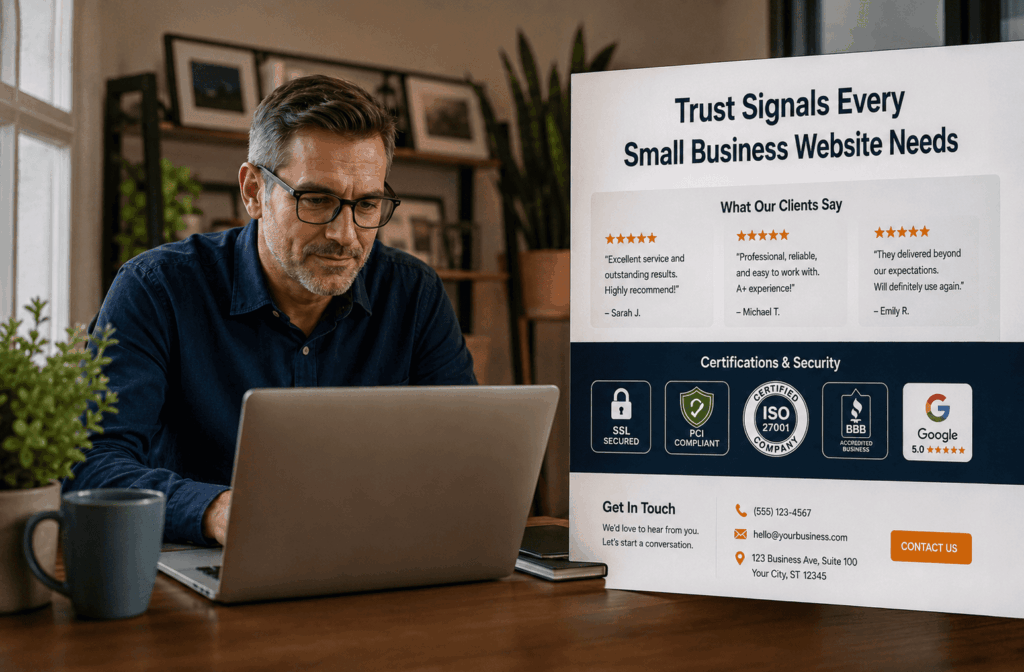
Article Summary
• Who this is for: Small business owners, service-based businesses, MSPs, contractors, consultants, and local B2B companies that rely on their website to generate leads and build credibility online.
• The challenge: Most small business websites fail to establish trust quickly, causing qualified prospects to leave before taking action. Missing testimonials, weak contact visibility, outdated design, and lack of security or social proof reduce conversions and make competitors appear more credible.
• Key insights covered:
- The 5 trust signals that directly impact conversions: testimonials, transparent contact info, security badges, social proof, and professional design.
- Why authentic customer reviews with real names/photos outperform generic testimonials and build immediate credibility.
- How visible phone numbers, addresses, business hours, and professional branding reduce buyer hesitation and bounce rates.
- The role of SSL certificates, certifications, guarantees, and policies in lowering perceived risk and increasing trust.
- How strategic placement of trust signals across service pages, homepage sections, and contact pages improves lead generation performance.
• Your outcome: Learn how to turn your website into a trust-building lead generation asset that converts more visitors into qualified opportunities. You’ll walk away with a clear framework to strengthen credibility, improve conversion rates, and compete more effectively against larger competitors online.
Quick Answer: Small business websites need five core trust signals to build credibility: authentic customer testimonials, transparent contact information, security badges and certifications, social proof through numbers and achievements, and professional design with clear messaging. These website trust signals directly impact visitor confidence and conversion rates.
Key Takeaways
• Customer testimonials with photos and names convert 34% better than anonymous reviews
• Visible contact information, including phone, address, and business hours, reduces bounce rates significantly
• Security badges and SSL certificates are essential for any site collecting customer information
• Social proof through client logos and statistics builds immediate credibility with new visitors
• Professional design and error-free content create the foundation for all other trust signals
• Clear return policies and guarantees remove purchase anxiety for potential customers
• Team photos and bios humanize your business and create personal connections
• Industry certifications and awards differentiate you from less credible competitors
🚀 Ready to see how this works for your business?
We'll build your complete review generation system in 14 days. No setup fees, no technical headaches. Just a system that works from day one.
📅 Book Your Free Consultation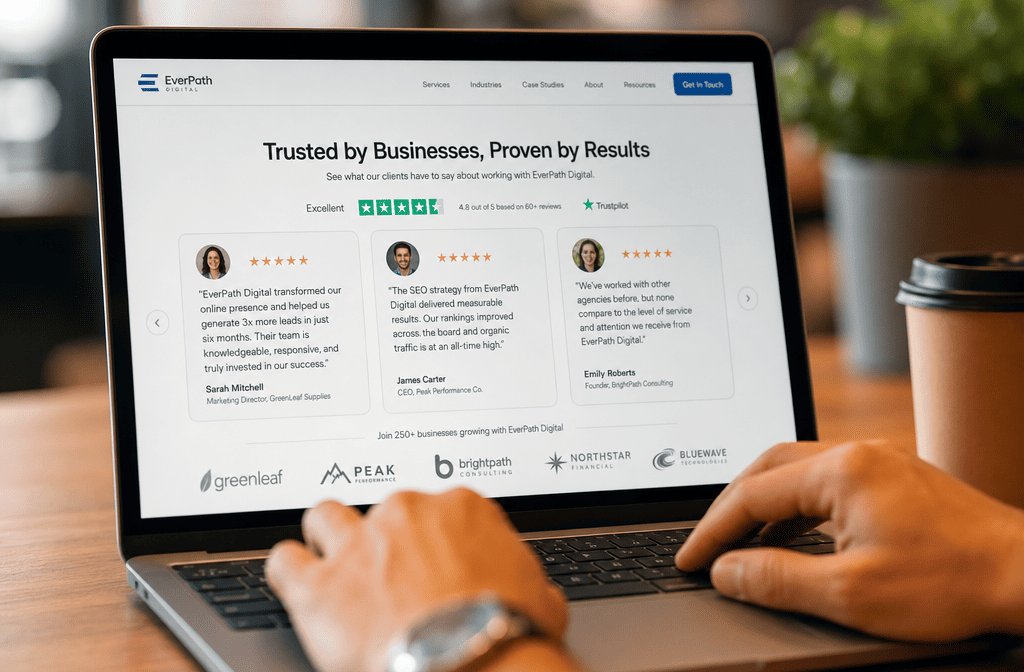
Your website has exactly 7 seconds to convince visitors you’re trustworthy. That’s not enough time to explain your entire value proposition or walk them through your process. Instead, visitors make split-second decisions based on visual cues and credibility elements they can spot immediately.
We see this challenge every day with small business owners in Metro Atlanta. They have great services and satisfied customers, but their websites fail to communicate trustworthiness effectively. The result? Qualified prospects leave within seconds, often heading straight to a competitor’s site that simply looks more credible.
Building website trust signals isn’t about fancy design or expensive features. It’s about strategically placing the right credibility elements where visitors expect to find them. When done correctly, these small business trust factors can dramatically improve your conversion rates and help you compete against larger competitors.
What Are Website Trust Signals and Why Do They Matter?
Website trust signals are visual and content elements that immediately communicate credibility to your visitors. They answer the unspoken questions every potential customer has: “Can I trust this business? Are they legitimate? Will they deliver what they promise?”
These credibility elements website visitors look for include everything from customer testimonials and security badges to professional photos and clear contact information. Each signal works together to build confidence and reduce the perceived risk of doing business with you.
The impact is measurable. Websites with strong trust signals see higher conversion rates, longer time on site, and more qualified leads. More importantly for small businesses, they level the playing field against larger competitors who might have bigger marketing budgets but lack the personal touch and authentic relationships you can provide.
Trust signals work because they address specific concerns:
- Social proof reduces uncertainty about quality
- Contact information proves you’re a real business
- Security badges address privacy and safety concerns
- Professional design suggests competence and attention to detail
- Testimonials provide third-party validation of your claims
The key is understanding which signals matter most for your specific audience and industry, then implementing them systematically across your website.
How Customer Testimonials Build Trust on Your Website
Customer testimonials are your most powerful trust signal because they provide third-party validation of your claims. But not all testimonials are created equal. Generic praise like “Great service!” carries little weight compared to specific, detailed reviews that address common customer concerns.
Effective testimonials include three elements:
- Specific results or outcomes the customer achieved
- The customer’s real name and photo (with permission)
- Context about their situation before working with you
For example: “Sales Hub HQ built our complete lead generation system in two weeks. We went from getting 2-3 leads per month to 15-20 qualified prospects. As a busy contractor, I needed something that worked without me having to learn complicated software. Their done-for-you approach was exactly what we needed.” – Mike Thompson, Thompson Roofing
Where to place testimonials for maximum impact:
- Homepage hero section or immediately below it
- Service pages addressing specific concerns
- Contact page to reinforce credibility before visitors reach out
- Dedicated testimonials page for prospects who want to read more
Common mistakes that reduce testimonial effectiveness:
- Using only first names or initials instead of full names
- Focusing on generic praise rather than specific outcomes
- Placing testimonials only on a separate page instead of throughout the site
- Using fake-sounding testimonials that visitors can spot immediately
We build testimonial collection into every system we create for clients. Our automated follow-up systems make it easy to gather authentic reviews from satisfied customers, then display them strategically across your website where they’ll have the most impact.
Why Transparent Contact Information Is Critical for Website Credibility
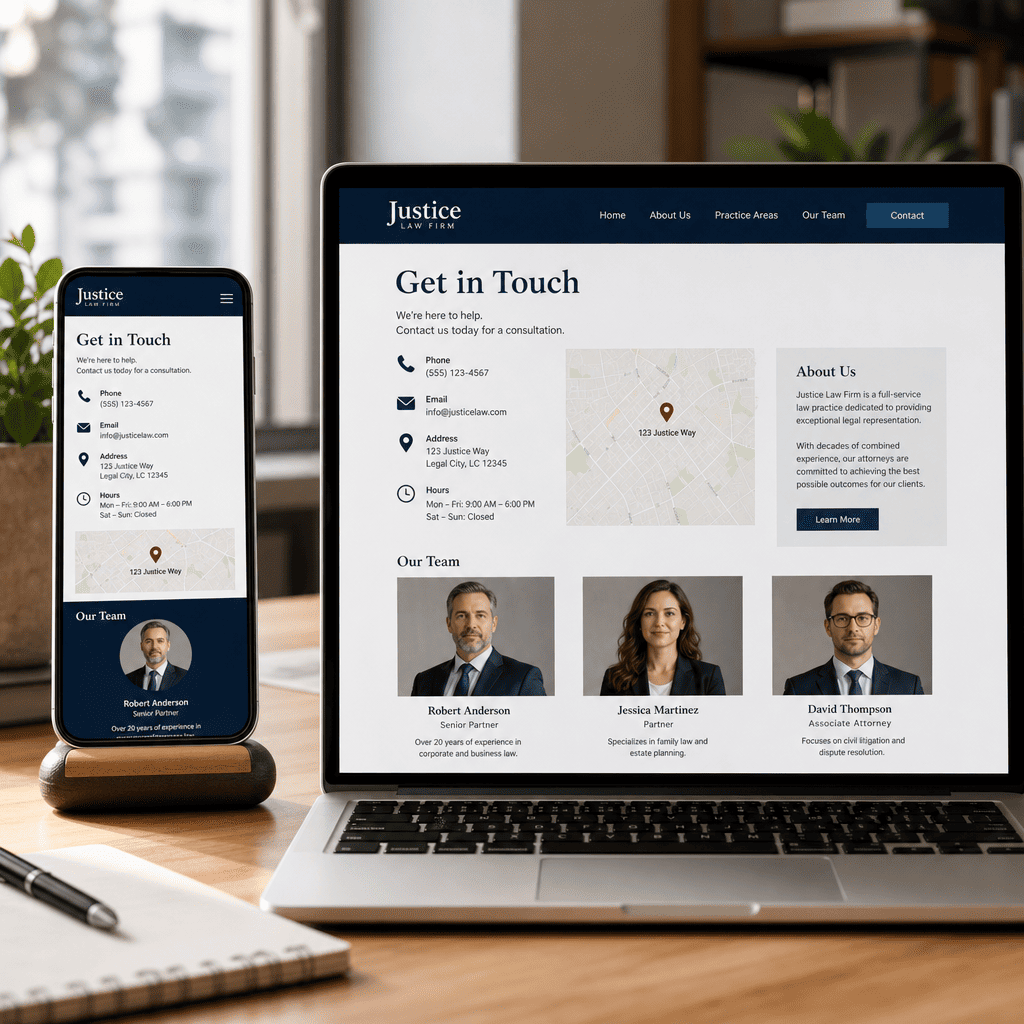
Nothing kills trust faster than a website that makes it hard to reach the business. Visitors need to see multiple ways to contact you, and this information should be prominently displayed throughout your site.
Essential contact elements every small business website needs:
- Phone number in the header and footer of every page
- Physical address (even if you work from home, consider a PO box)
- Business hours are clearly stated
- Email address that matches your domain name
- Contact form as an additional option, not the only option
Why each element matters:
- Phone numbers prove you’re available for real conversations
- Physical addresses establish you as a legitimate local business
- Business hours set proper expectations for response times
- Professional email addresses (not Gmail or Yahoo) look more credible
- Multiple contact options accommodate different communication preferences
Red flags that hurt credibility:
- Contact forms are the only way to reach you
- Generic email addresses like “[email protected]“
- No phone number visible anywhere on the site
- Vague location information like “Serving the Southeast”
We see this mistake constantly with small business websites. Owners worry about getting too many calls or want to filter inquiries through forms. But hiding your contact information sends the wrong message to qualified prospects who want to speak with someone before making a decision.
Our complete done-for-you system includes setting up professional contact methods that work for your business. We help you create systems that capture leads automatically while still providing the transparency visitors expect.
Security Badges and Certifications That Boost Credibility
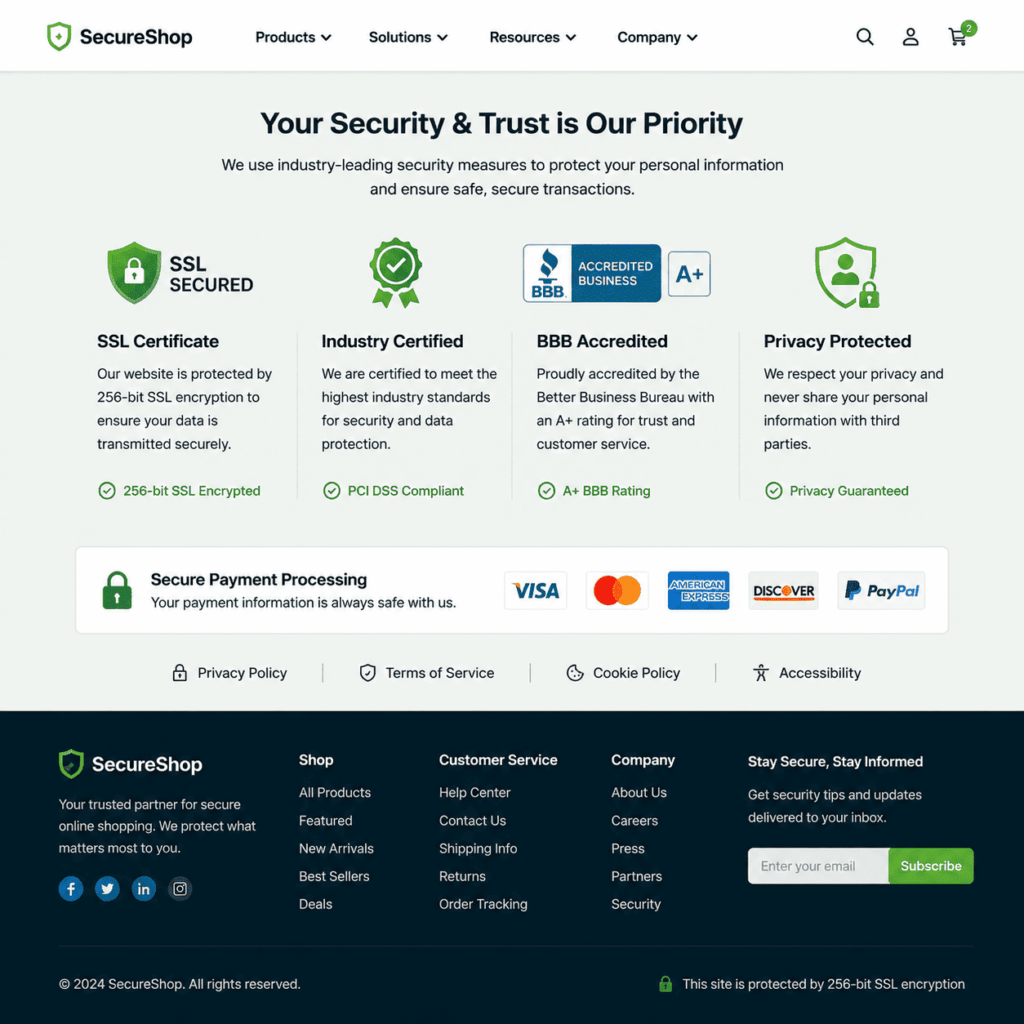
Security badges and professional certifications provide instant credibility, especially for businesses that handle sensitive information or payments online. These visual trust signals tell visitors you take their privacy and security seriously.
Essential security elements:
- SSL certificate (the padlock icon in the browser bar)
- Payment security badges if you process transactions online
- Privacy policy link in your footer
- Terms of service for businesses with online transactions
Professional certifications to display:
- Industry-specific licenses and certifications
- Better Business Bureau ratings
- Professional association memberships
- Awards from recognized industry organizations
Where to place security and certification badges:
- Website footer on every page
- Checkout pages for e-commerce sites
- Contact forms where visitors enter personal information
- About page alongside team credentials
Important note about fake badges: Only display certifications you actually have. Visitors can easily verify most credentials, and fake badges will destroy trust instantly. If you don’t have relevant certifications yet, focus on getting them rather than trying to fake credibility.
Many small businesses overlook this area because they assume their services don’t require security measures. But any website that collects names, email addresses, or phone numbers should have proper security in place. It’s not just about protecting data; it’s about showing visitors you’re professional and trustworthy.
Social Proof Through Numbers and Client Logos
Numbers tell a story that builds confidence quickly. When visitors see that you’ve served hundreds of customers or been in business for years, it reduces their perception of risk in choosing your services.
Powerful social proof numbers to highlight:
- Years in business
- Number of customers served
- Projects completed
- Industry awards won
- Team size or locations served
Client logos and case studies:
- Display recognizable client logos (with permission)
- Create brief case studies showing specific results
- Highlight diverse industries you serve
- Show before-and-after examples when appropriate
How to present social proof effectively:
- Use specific numbers rather than vague claims like “many satisfied customers”
- Update statistics regularly to keep information current
- Place key numbers prominently on your homepage
- Create a dedicated “Results” or “Case Studies” section
Example of effective social proof presentation:
“Since 2018, we’ve built complete lead generation systems for over 200 Metro Atlanta businesses. Our clients typically see a 300% increase in qualified leads within 90 days, with systems that capture and nurture prospects automatically.”
The key is being specific and honest. Don’t inflate numbers or make claims you can’t support. Visitors can often sense when statistics feel exaggerated, and credible numbers will always outperform inflated ones.
We help our clients identify and present their most compelling social proof. Our all-in-one platform makes it easy to track results and gather the specific data points that build credibility with your target audience.
Professional Design Elements That Signal Trustworthiness
Your website’s visual design communicates professionalism before visitors read a single word. Clean, modern design suggests competence and attention to detail, while outdated or cluttered sites raise questions about your business practices.
Key design elements that build trust:
- Clean, organized layout with plenty of white space
- Professional photography of your team and work
- Consistent branding across all pages
- Mobile-responsive design that works on all devices
- Fast loading times (under 3 seconds)
- Error-free content with proper spelling and grammar
Design mistakes that hurt credibility:
- Stock photos that look obviously fake
- Inconsistent fonts, colors, or styling
- Broken links or missing images
- Pop-ups that appear immediately when visitors arrive
- Outdated copyright dates in the footer
Content quality indicators:
- Well-written, specific service descriptions
- Regular blog posts or updates showing that the site is maintained
- Clear navigation that helps visitors find information quickly
- Professional headshots rather than casual photos
Your website doesn’t need to win design awards, but it should look current and professional. Visitors make judgments about your business quality based on your website quality. If your site looks outdated or unprofessional, they’ll assume your services might be too.
This is where our free smart website built for you makes a significant difference. We create professional, mobile-responsive sites that include all the trust signals your business needs. Everything is ready from day one, with no tech knowledge required on your part.
Clear Policies and Guarantees That Remove Purchase Anxiety
Clear policies and guarantees address the “what if” concerns that prevent visitors from becoming customers. When you clearly explain what happens if something goes wrong, you reduce the perceived risk of doing business with you.
Essential policies for small business websites:
- Service guarantee or satisfaction policy
- Refund or cancellation terms (if applicable)
- Privacy policy explaining how you handle customer information
- Terms of service for ongoing relationships
How to present guarantees effectively:
- Use clear, plain language instead of legal jargon
- Highlight your guarantee prominently on service pages
- Explain the process for addressing problems
- Set realistic expectations rather than making impossible promises
Examples of effective guarantees:
- “If you’re not completely satisfied with our work, we’ll revise it until you are at no additional cost”
- “30-day money-back guarantee on all consulting packages”
- “We guarantee a response to all service calls within 24 hours”
Policies that build rather than hurt trust:
- Keep terms reasonable and customer-friendly
- Explain your reasoning behind policies when helpful
- Make policies easy to find and understand
- Update policies regularly to reflect current practices
The goal isn’t to create legal protection (though that’s important too). It’s to show potential customers that you stand behind your work and have thought through potential issues. This transparency builds confidence and often prevents problems before they occur.
Team Photos and Bios That Humanize Your Business
People do business with people, not faceless companies. Team photos and bios help visitors connect with your business on a personal level and understand who they’ll be working with.
Effective team presentations include:
- Professional headshots of key team members
- Brief bios highlighting relevant experience
- Personal touches that show personality
- Contact information for specific team members when appropriate
What to include in team bios:
- Years of experience in the industry
- Relevant education or certifications
- Specific areas of expertise
- Brief personal information (hobbies, family, community involvement)
- Why do they enjoy working in your industry
Common mistakes with team sections:
- Using casual photos that don’t match your professional image
- Writing bios that are too long or too generic
- Forgetting to update information when team members leave
- Including only the owner instead of key team members, customers will interact with
Where to place team information:
- Dedicated “About Us” or “Meet the Team” page
- Homepage section introducing key personnel
- Service pages showing who handles specific services
- Contact page connecting faces with contact methods
Team photos and bios are especially important for service-based businesses where relationships matter. When visitors can see who they’ll be working with, it reduces anxiety and builds personal connection before the first conversation.
We help our clients create professional team presentations that build trust while showcasing expertise. Our systems make it easy to keep team information current as your business grows.
Industry Awards and Certifications as Trust Builders
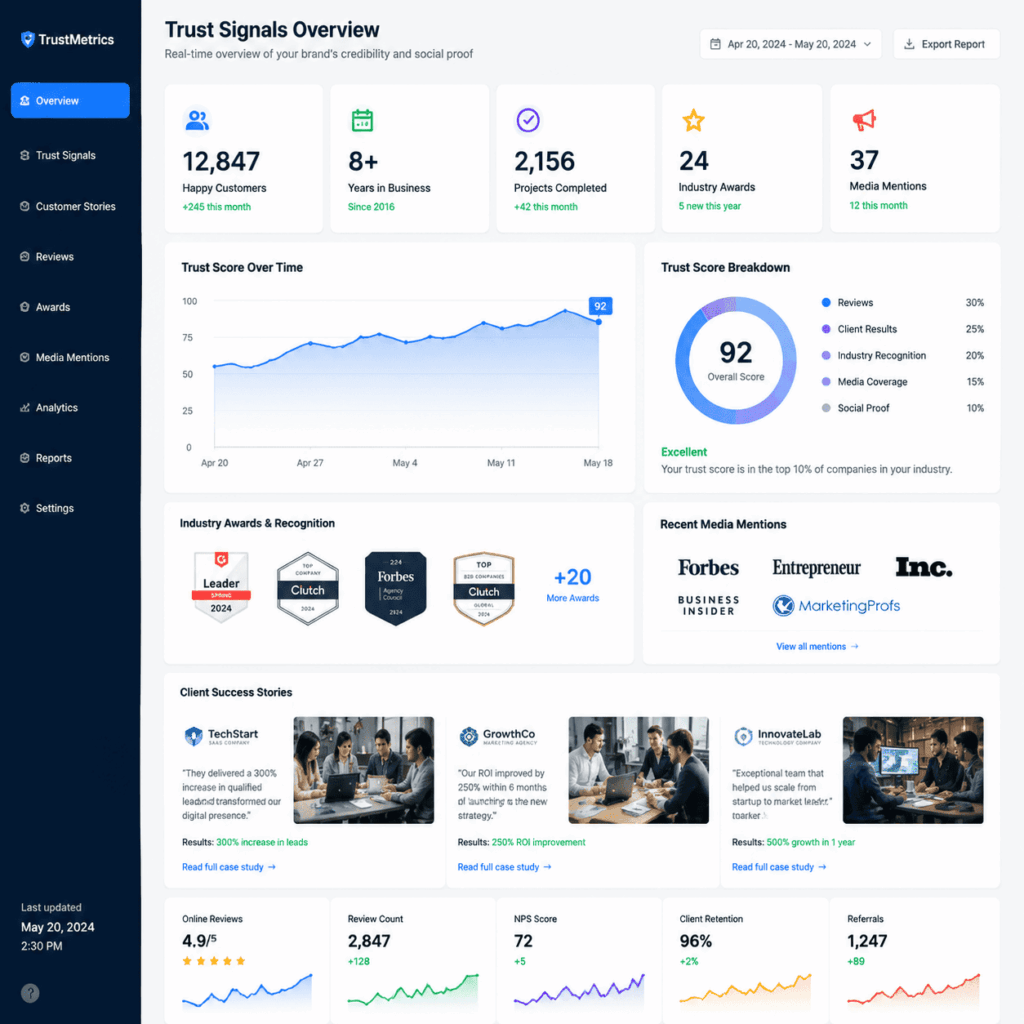
Industry recognition provides third-party validation of your expertise and professionalism. Awards, certifications, and memberships signal that other professionals in your field recognize your competence.
Types of credentials that build trust:
- Professional licenses required in your industry
- Industry certifications from recognized organizations
- Awards from business or professional groups
- Memberships in relevant professional associations
- Media mentions or speaking engagements
How to display credentials effectively:
- Create a dedicated section on your About page
- Include relevant badges in your website footer
- Mention specific certifications on related service pages
- Keep credential information current and accurate
Credentials that matter most:
- Those are your target customers who recognize and value
- Recent awards or certifications (within the last 3-5 years)
- Credentials that differentiate you from competitors
- Recognition from respected industry organizations
What not to include:
- Outdated certifications you no longer maintain
- Awards from organizations that customers won’t recognize
- Too many credentials that dilute the impact of important ones
- Fake or exaggerated claims about recognition
The key is relevance. Display credentials that your target customers will recognize and value. A certification that impresses other professionals in your field might not matter to the business owners who hire you.
Focus on building real credentials over time rather than trying to appear more credentialed than you are. Authentic expertise always outperforms fake credentials, and your target customers can usually tell the difference.
How to Implement Trust Signals Without Overwhelming Your Website
Adding trust signals to your website requires balance. Too few, and visitors won’t feel confident. Too many, and your site becomes cluttered and overwhelming. The goal is strategic placement of the most relevant signals for your audience.
Start with the most important signals:
- Customer testimonials on your homepage and service pages
- Clear contact information in the header and footer
- Professional team photos on your About page
- Security badges where visitors enter information
Then add supporting elements:
- Social proof numbers on your homepage
- Client logos or case studies
- Industry certifications were relevant
- Clear policies and guarantees
Placement strategy:
- Homepage: Most important testimonials, key statistics, contact info
- Service pages: Relevant testimonials, specific credentials, guarantees
- About page: Team bios, company history, awards, and certifications
- Contact page: Multiple contact methods, business hours, and location
Common implementation mistakes:
- Adding trust signals without considering your specific audience
- Placing all trust elements on one page instead of throughout the site
- Using generic trust signals that don’t address your customers’ specific concerns
- Forgetting to update trust signals as your business grows
The most effective approach is to think like your target customer. What concerns would they have about hiring your business? What questions would they need answered before feeling comfortable reaching out? Then place the trust signals that address those specific concerns, where visitors will see them at the right moment.
This is exactly what we do with our complete done-for-you system. We analyze your target audience, identify the most relevant trust signals for your industry, and implement them strategically throughout your website. Everything is built and ready from day one, with automated systems to keep gathering new testimonials and social proof as your business grows.
Website Trust Signals Checklist
Evaluate your website's credibility elements and get personalized recommendations
Customer Testimonials & Social Proof
Contact Information & Transparency
Security & Professional Credentials
Professional Design & Content
Policies & Guarantees
🚀 Ready to see how this works for your business?
We'll build your complete review generation system in 14 days. No setup fees, no technical headaches. Just a system that works from day one.
📅 Book Your Free ConsultationFAQ
What are the most important trust signals for small business websites?
The five most critical trust signals are authentic customer testimonials with names and photos, visible contact information including phone and address, security badges and SSL certificates, social proof through numbers and client examples, and professional design with error-free content.
How many testimonials should I include on my website?
Include 3-5 strong testimonials on your homepage, then add relevant testimonials to each service page. Quality matters more than quantity. One specific, detailed testimonial outperforms five generic ones.
Do I need security badges if I don’t sell products online?
Yes, any website that collects visitor information (names, emails, phone numbers) should have SSL security and display appropriate badges. This includes contact forms, newsletter signups, and consultation requests.
Should I include my home address if I work from home?
Consider getting a PO Box or virtual office address instead of your home address. Visitors need to see that you’re a legitimate local business, but you don’t have to compromise your privacy.
How often should I update my trust signals?
Review and update trust signals quarterly. Add new testimonials as you receive them, update statistics and achievements, and ensure all contact information and credentials remain current.
What’s the biggest mistake small businesses make with trust signals?
The biggest mistake is using fake or generic trust signals instead of authentic ones. Visitors can usually spot fake testimonials, inflated numbers, or stock photos, which destroys credibility instantly.
Can I use client logos without permission?
No, always get written permission before displaying client logos or company names. Many businesses are happy to provide permission if you ask professionally and explain how you’ll use their logo.
How do I get customers to provide testimonials?
Ask satisfied customers directly, make the process easy with specific questions about their results, and consider offering a small incentive like a discount on future services. Timing matters; ask when they’re most satisfied with your work.
Should trust signals be the same for every industry?
No, different industries require different trust signals. Professional services need credentials and team bios, while contractors need project photos and safety certifications. Focus on what matters most to your specific audience.
How do trust signals affect search engine rankings?
While trust signals don’t directly impact SEO, they improve user experience metrics like time on site and conversion rates. Better user engagement can indirectly help search rankings, and local trust signals support local SEO efforts.
What if I’m a new business without many testimonials or achievements?
Focus on the trust signals you can control: professional design, clear contact information, team credentials, and transparent policies. Build authentic social proof over time rather than trying to fake it.
How do I know if my trust signals are working?
Monitor website analytics for improved conversion rates, longer time on site, and more contact form submissions. Track which pages visitors view before contacting you, and ask new customers what convinced them to reach out.
Building trust online isn’t about having the fanciest website or the most impressive credentials. It’s about systematically addressing the concerns and questions your potential customers have when they first discover your business.
The small business trust factors we’ve covered—testimonials, contact information, security badges, social proof, professional design, clear policies, team photos, and relevant credentials—work together to create confidence in your brand. Each element answers specific questions visitors have about your legitimacy, competence, and reliability.
The key is implementation. Knowing what trust signals you need is only the first step. You need to gather authentic testimonials, create professional content, implement proper security, and present everything in a way that builds rather than overwhelms.
This is where many small business owners get stuck. They understand the importance of website trust signals but lack the time, technical knowledge, or systems to implement them effectively. They end up with websites that look professional but fail to convert visitors into customers.
We solve this problem with our complete done-for-you system. We build the website and content, implement all the essential trust signals, and create automated systems that continue building credibility as your business grows. Your lead generation system is ready from day one, with AI-powered lead capture and automated follow-up that works while you focus on running your business.
Your next step is simple: Evaluate your current website against the trust signals we’ve discussed. Identify the gaps that might be costing you qualified leads. Then decide whether you want to tackle the implementation yourself or partner with someone who can build a system that actually works.
The businesses that thrive in 2026 will be those that build genuine trust with their online presence. The question isn’t whether you need these trust signals; it’s how quickly you can implement them effectively.
Ready to build a website that converts visitors into customers? Let’s create a complete system that captures and nurtures leads automatically, with all the trust signals your business needs built in from day one.
🚀 Ready to see how this works for your business?
We'll build your complete review generation system in 14 days. No setup fees, no technical headaches. Just a system that works from day one.
📅 Book Your Free Consultation
