
Lead Response: Avoid Costly Mistakes in the First 10 Minutes
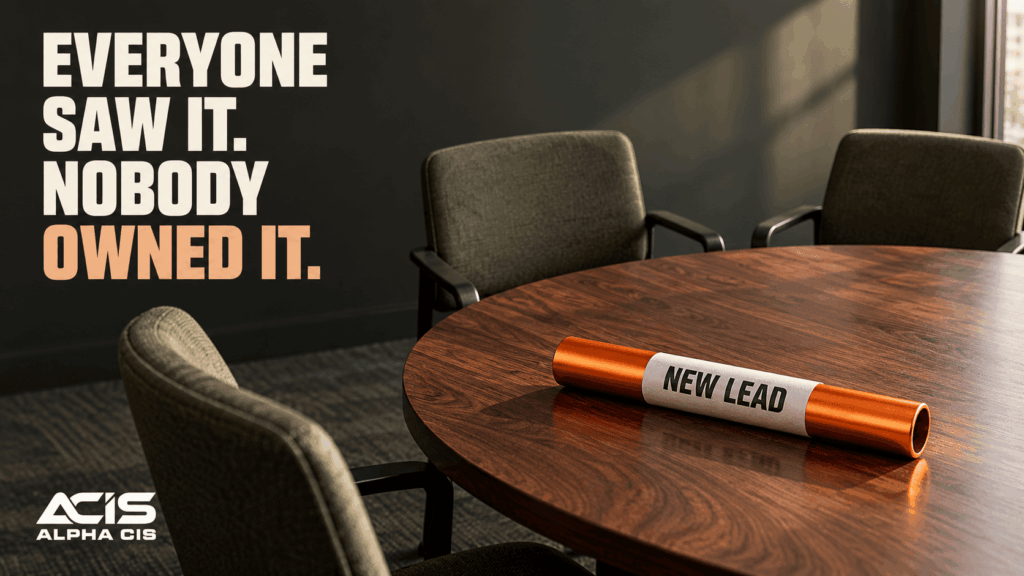
A lead comes in at 4:47 on a Thursday afternoon. Nobody sees the contact form notification because it went to an inbox three people share and nobody really owns. By the time someone notices, it’s Monday morning, and the prospect already called a competitor. This happens more often than most business owners want to admit, and it’s rarely because the team doesn’t care. It’s because there’s no lead response process in place to catch the inquiry and move it forward.
That gap, the space between “a stranger showed interest” and “someone on your team actually responds,” is where deals quietly disappear. This article breaks down what should happen in those first critical minutes, and why building a structured lead response process matters more than chasing an exact number of minutes.
Why does responding to leads in the first 10 minutes matter?
Responding quickly matters because interest fades fast, and the prospect is often contacting more than one business at the same time. The first company to show up with a useful, relevant response usually earns the benefit of the doubt, even if they aren’t the cheapest option.
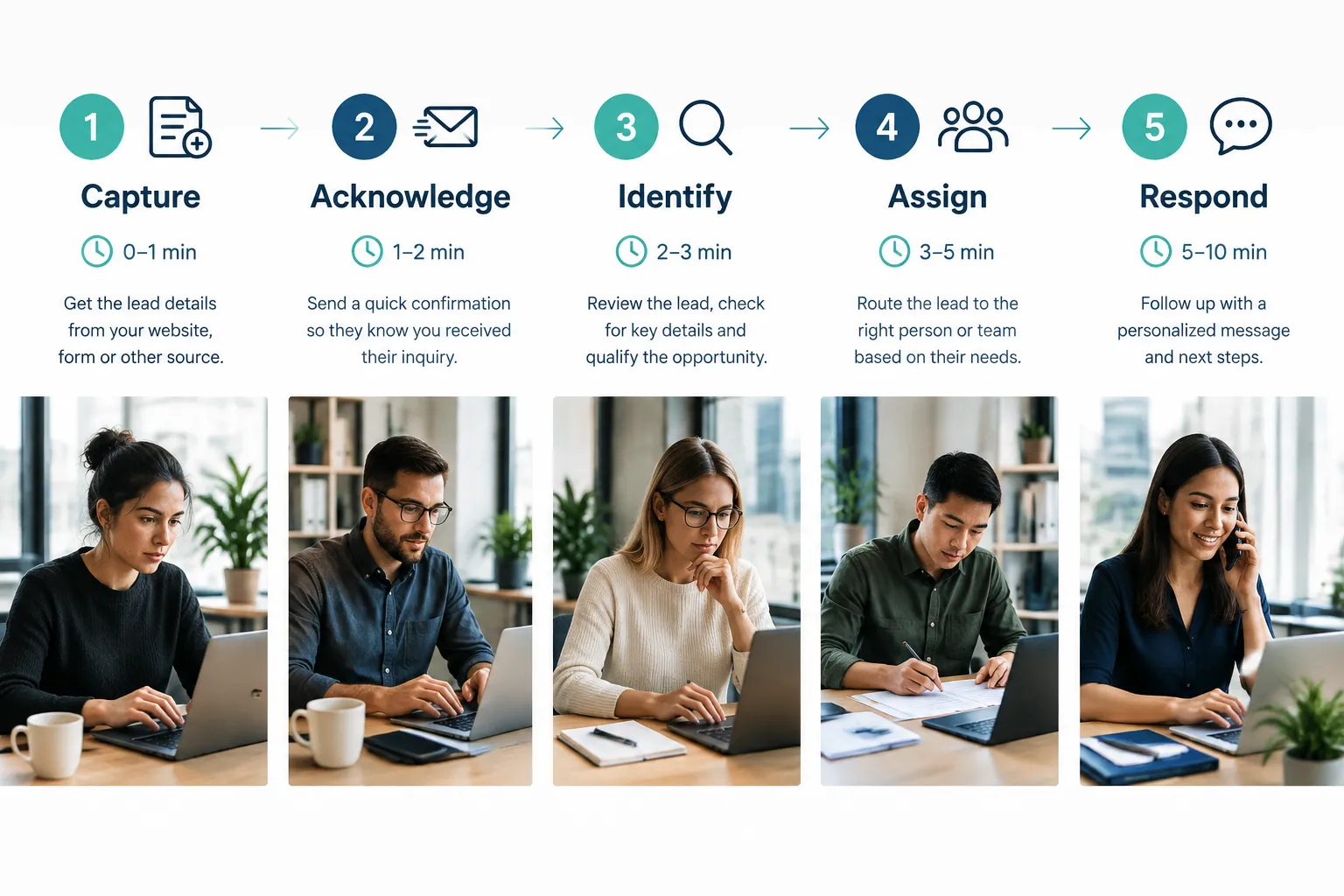
Think about your own behavior as a customer. When you fill out a form for a plumber, a lawyer, or a marketing agency, you’re usually comparing a few options. Whoever responds first and sounds like they have their act together tends to get the call back. Waiting hours, or days, signals disorganization before a single word is spoken.
Decision rule: If your business depends on inbound inquiries from a website, ads, or referrals, treat quick response as a core part of sales, not an afterthought handled “when someone has time.”
What should you say in your first message to a new lead?
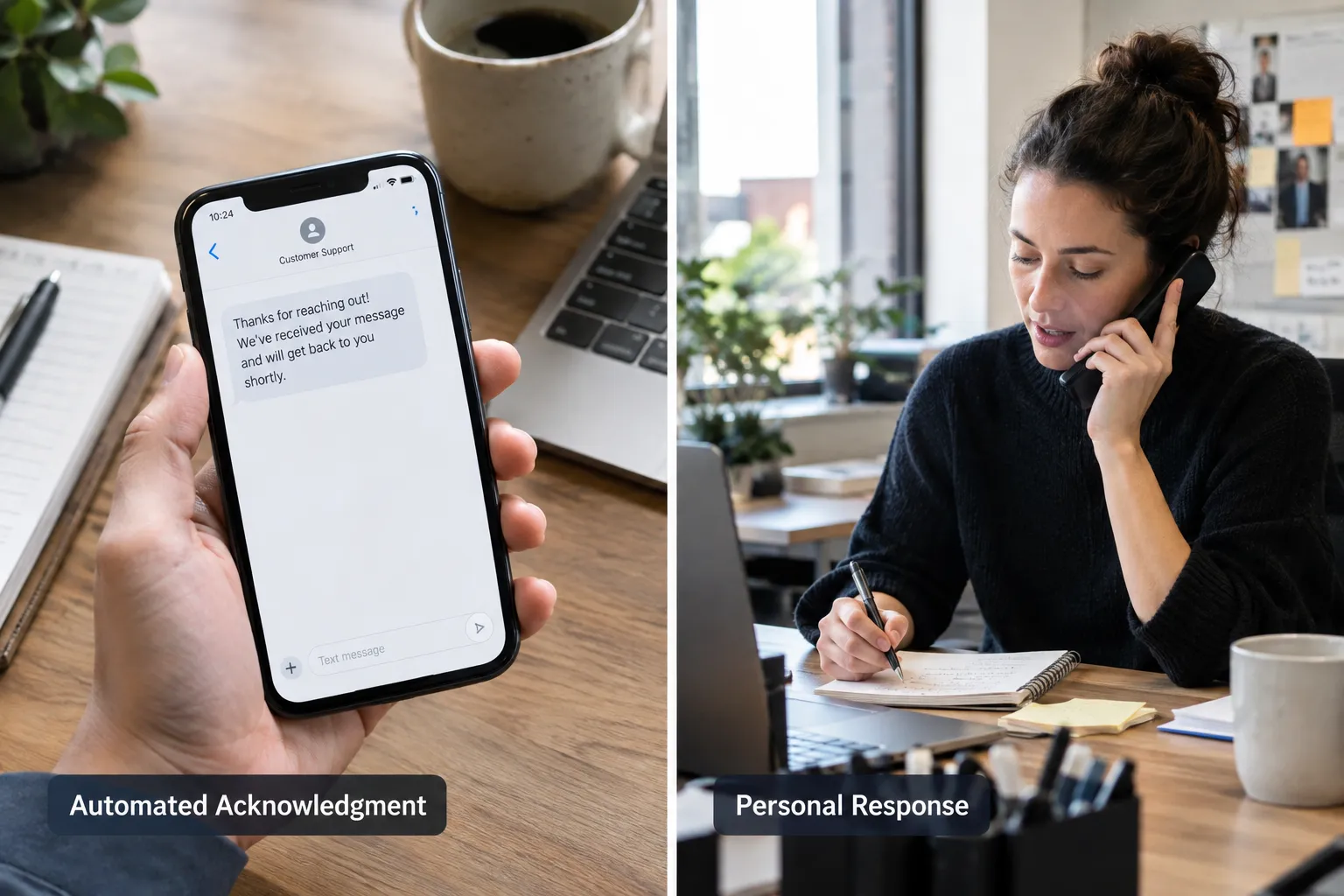
Your first message should confirm you received the inquiry, set a realistic expectation for next steps, and sound like it came from a real business, not a generic robot. It doesn’t need to answer every question. It needs to reassure the prospect they haven’t been ignored.
A good first message typically includes:
- A thank-you and confirmation that the message was received
- The specific service or topic they asked about, referenced by name
- A clear next step (“Our team will call you within the hour” or “Here’s how to book a time directly”)
- A direct phone number or scheduling link, if appropriate
Common mistake: Sending a vague “Thanks for reaching out, we’ll be in touch soon” with no specifics. It feels automated because it is, and it leaves the prospect guessing about what happens next.
How much faster do you close deals with quick lead response, and what’s the average response time for top sales teams?
There’s no universally proven number that says responding in exactly 10 minutes guarantees a sale. What’s accurate to say is that faster, well-organized responses generally create a better first impression than slow or inconsistent ones, and many sales organizations treat speed as a competitive advantage worth building a process around.
Rather than chasing an unverified statistic, focus on what you can control and measure in your own business:
- Track your current average response time this month.
- Set an internal goal (for example, same-hour response during business hours).
- Measure how that goal affects show-up rates and close rates over a full quarter.
Edge case: A complex B2B service inquiry involving a detailed quote may require more than 10 minutes to research before a meaningful reply. In that case, the fast acknowledgment matters more than a fast final answer.
Should you call or email a lead first?
Call first when the inquiry sounds urgent, high-value, or came through a phone-friendly channel like a “request a quote” form. Email or text first when the lead came in after hours, seems early-stage, or when a call might feel intrusive.
A simple way to decide:
| Situation | Best first contact |
|---|---|
| Phone number given, urgent language (“need this fixed today”) | Phone call |
| Form fill with general questions, no phone preference stated | Email or text acknowledgment, then call |
| After-hours inquiry | Automated acknowledgment now, personal follow-up next business morning |
| Referral or warm introduction | Phone call, ideally same day |
Choose a call first if the prospect left a phone number and described a time-sensitive need. Choose email or text first if you’re unsure of urgency and want to confirm details before committing staff time to a call.
What tools automate fast lead response, and can chatbots or AI handle the first response?
Automation tools like CRMs, lead capture forms, and AI-assisted chat can absolutely handle the first acknowledgment, and many businesses use them to confirm receipt and gather basic details instantly. What automation should not do is pretend to be a final answer when a prospect needs real judgment, pricing, or a complex explanation.
A reasonable split looks like this:
- AI or automated tools handle: instant confirmation, basic qualifying questions, appointment scheduling links, after-hours coverage
- A human handles: pricing discussions, technical questions, anything requiring judgment, and closing the relationship
This is exactly where an all-in-one platform helps. AI-powered lead capture and automated follow-up systems can acknowledge every single inquiry the moment it arrives, 24 hours a day, so leads captured and nurtured automatically never sit untouched overnight.
How do you respond to leads after hours or on weekends?
After-hours leads should still get an immediate automated acknowledgment, followed by a real human response at the start of the next business day, unless the business offers true 24/7 coverage. The key is being honest about your hours instead of pretending you’re always available.
A workable after-hours process:
- Automated message confirms receipt and states your business hours clearly.
- The message gives a specific time the prospect can expect a real reply (for example, “by 9 a.m. Monday”).
- The lead is logged into your CRM with a timestamp, so it’s the first thing your team sees that morning.
- If the inquiry sounds urgent, include an emergency contact option, if your business truly offers one.
Common mistake: Leaving after-hours leads with no acknowledgment at all until someone opens the inbox manually. Silence is the one thing that looks worse than a short delay.
What are the most common mistakes when contacting new leads, and how many leads do you lose by waiting too long?
The most common mistakes are letting leads sit in a shared inbox with no owner, sending vague generic replies, and failing to follow up a second or third time. There’s no single verified number for how many leads are lost to slow response across all industries, because it varies by business type, competition, and lead source, so be cautious of any site that cites one exact universal percentage.

Mistakes worth fixing first:
- No clear owner. If three people could respond, often nobody does.
- One-and-done follow-up. A prospect who doesn’t answer the first call still might respond to a second attempt or a text.
- Generic templates with no personalization. Prospects notice when a message doesn’t reference what they actually asked.
- No tracking. Without a CRM, it’s nearly impossible to know your real average response time.
Which industries need the fastest lead response times?
Industries with high urgency or heavy competition for the same customer, like home services, legal consultations, real estate, and healthcare scheduling, typically need the fastest response times. B2B professional services can usually allow a bit more time, but still benefit from same-day contact.
- Need near-immediate response: emergency home repair, legal intake, medical scheduling
- Need same-day response: B2B consulting, marketing agencies, financial services
- Can allow a short delay with clear communication: complex custom quotes, enterprise sales with multi-step evaluation
Decision rule: If your prospects are also contacting competitors for the same immediate need, treat speed as critical. If your sales cycle naturally involves research and comparison over days or weeks, prioritize quality of the first response over raw speed.
What happens if you respond in 1 hour instead of 10 minutes?
Responding within an hour is still reasonably competitive for most B2B service businesses, especially if the acknowledgment went out instantly and the full reply follows within that hour. The real risk isn’t the difference between 10 minutes and 60 minutes, it’s the difference between any organized response and no response at all for hours or days.
If your realistic internal goal is one hour during business hours, that’s a legitimate standard, as long as:
- The prospect received an instant acknowledgment at minute one or two
- The one-hour mark is when a real person engages, not just another automated message
- You’re consistent about hitting that window, not occasionally hitting it and often missing it
How do you handle multiple leads coming in at the same time?
When several inquiries arrive together, triage them by urgency and value instead of responding in the order they arrived. A CRM with lead scoring or simple tagging makes this manageable without anyone having to guess.
A practical triage approach:
- Scan for urgency signals (phone number given, “today” or “ASAP” language).
- Route each lead to the correct person or team based on service type.
- Send instant acknowledgments to all of them automatically, so nobody feels ignored while you prioritize.
- Work through the list by urgency and fit, not strictly by arrival time.
Edge case: If one salesperson gets slammed with five leads at once, your lead response process should automatically reassign overflow to another available rep instead of letting that person become the bottleneck.
What’s the best first question to ask a new lead?
The best first question identifies what the prospect actually needs and how urgent it is, rather than jumping straight into a sales pitch. Something like, “What’s the main thing you’re hoping to solve, and what’s your timeline?” does both at once.
This single question helps you:
- Route the lead to the right person or service line
- Gauge urgency so you can prioritize correctly
- Avoid wasting time on a generic pitch that doesn’t match their actual need
Why businesses should avoid unnecessary messages just to appear responsive
Sending extra check-in messages just to look busy can backfire, because it feels like noise instead of help. Prospects remember useful, relevant communication, not message volume.
If you’ve already sent an acknowledgment and a real follow-up is scheduled, a “just checking in, did you see our last message” text adds little value. Instead, make every message count: confirm receipt, answer the actual question, or offer the next concrete step.
How a CRM supports a reliable lead response process
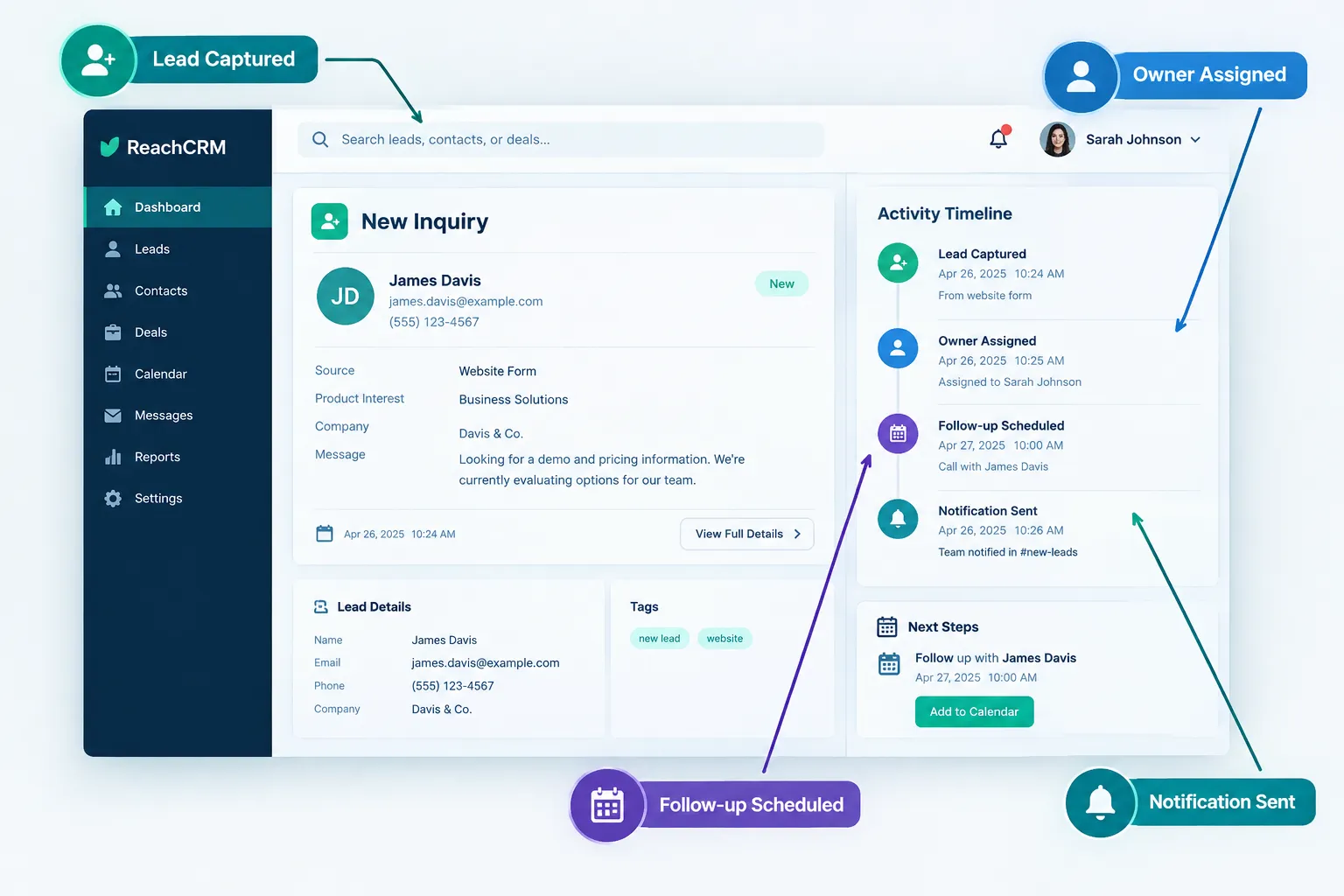
A CRM is the backbone of a consistent lead response process because it records the inquiry, assigns ownership, and schedules follow-up automatically, so nothing depends on someone remembering to check an inbox. This is also how you get visibility into leads that are falling through the cracks.
A properly set up CRM should:
- Log every inquiry the moment it comes in, regardless of channel
- Notify the assigned rep instantly, by text or app alert
- Record every call, email, and text tied to that lead
- Flag leads with no activity after a set period, so nobody gets forgotten
- Make it easy to reassign a lead when the original rep is unavailable
A realistic example
A small commercial cleaning company gets a form submission at 2:15 p.m. asking about weekly office cleaning. The CRM logs it instantly and sends an automated text: “Thanks for reaching out about office cleaning, we’ll call within the hour.” The system assigns the lead to the rep covering that zip code and notifies her by app alert. She calls at 2:40 p.m., asks about square footage and current cleaning frequency, and books a walkthrough for Thursday. The whole process took 25 minutes and didn’t depend on anyone remembering to check email.
How SalesHubHQ builds this lead response process for you
We know most small business owners in Metro Atlanta aren’t trying to become CRM experts. You’re running a business, and you need a system that works without you babysitting it. That’s exactly why we built SalesHubHQ as a complete done-for-you system.
Here’s what that actually means for your lead response process:
- We build the website and content, so every inquiry starts with a free smart website built for you, designed to capture leads correctly from day one.
- AI-powered lead capture pulls in inquiries from your website, ads, and contact forms into one place, no matter where they come from.
- Automated follow-up systems send that first acknowledgment instantly, day or night, so leads captured and nurtured automatically never sit untouched.
- Our all-in-one platform assigns ownership, logs communication, and schedules follow-up, so your team always knows who’s responsible for what.
- Everything is ready from day one, with no tech knowledge required on your end.
You get systems that actually work, built and implemented for your business, so you can focus on closing deals instead of wondering if a lead slipped through the cracks.

