
How to Make Automated Lead Follow-Up Feel Truly Personal
What Does Automated Lead Follow Up Actually Mean
Automated lead follow up means using software, usually a CRM, email tool, or AI assistant, to contact leads automatically based on triggers like form submissions, website visits, or inactivity. It is not one mass email. It is a set of rules that decide what message goes out, to whom, and when.
Here’s what that looks like in practice:
- A lead fills out a contact form, and the system sends a reply within a minute instead of a day.
- A lead who downloaded a pricing guide gets a different message than one who just browsed the homepage.
- A lead who hasn’t responded in five days gets a gentle nudge, not a repeat of the same email.
The goal is simple: no lead falls through the cracks, and no one on your team has to remember to send a dozen emails a day.
Why Does Bad Automation Sound Robotic
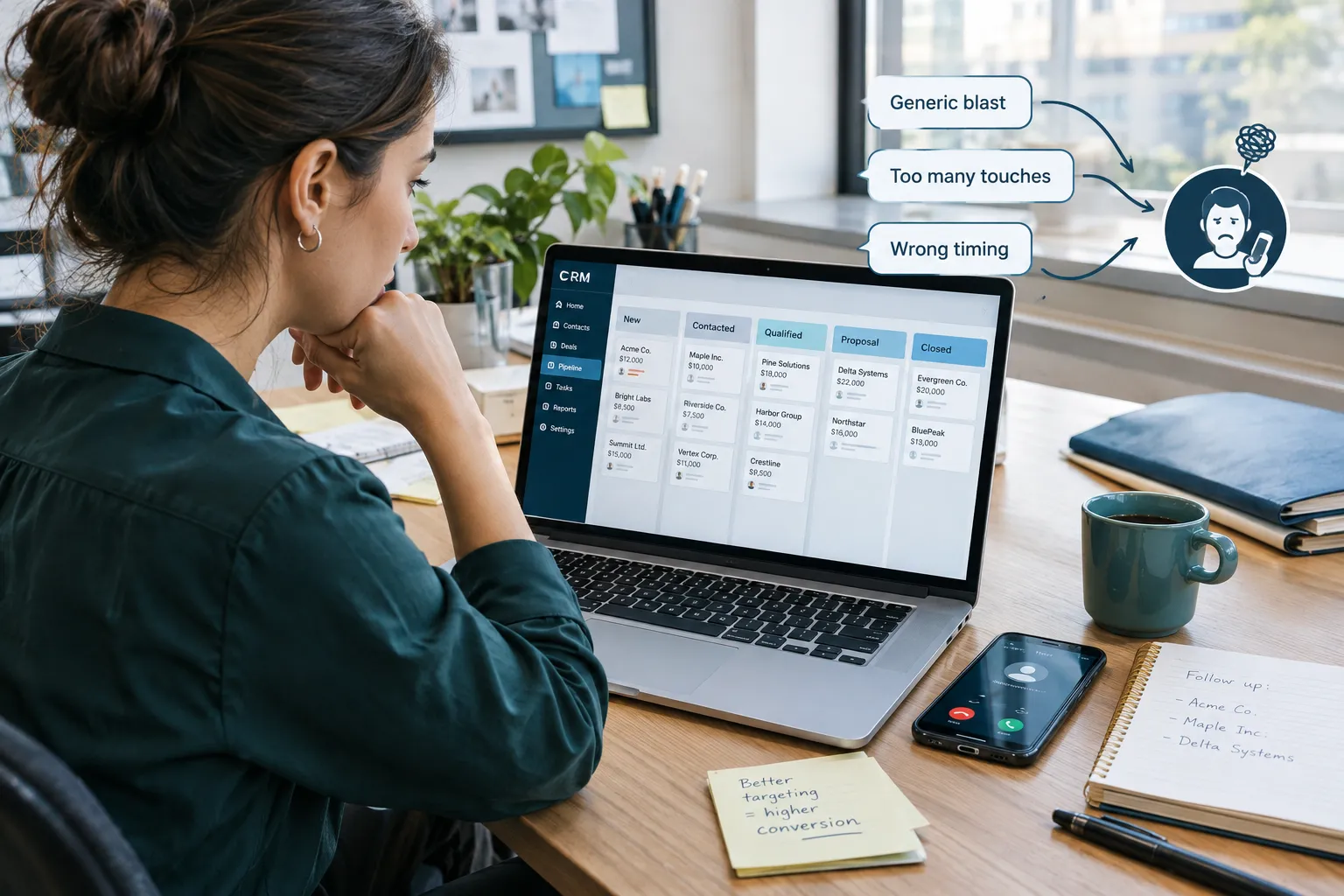
Automation sounds robotic when it ignores the person on the other end. It usually comes down to seven specific mistakes, and most businesses are making at least two of them without realizing it.
- Generic messaging. Every lead gets the exact same email, no matter what they asked about.
- Too many messages. Five emails in three days feels like pressure, not helpfulness.
- Poor timing. A follow-up sent at 2 a.m. or six weeks after someone inquired feels careless.
- No context. The message doesn’t reference what the lead actually said or did.
- Repeating information. The lead already got the brochure. Sending it again signals nobody’s paying attention.
- Ignoring previous responses. The lead replied “not interested right now,” and the sequence keeps going anyway.
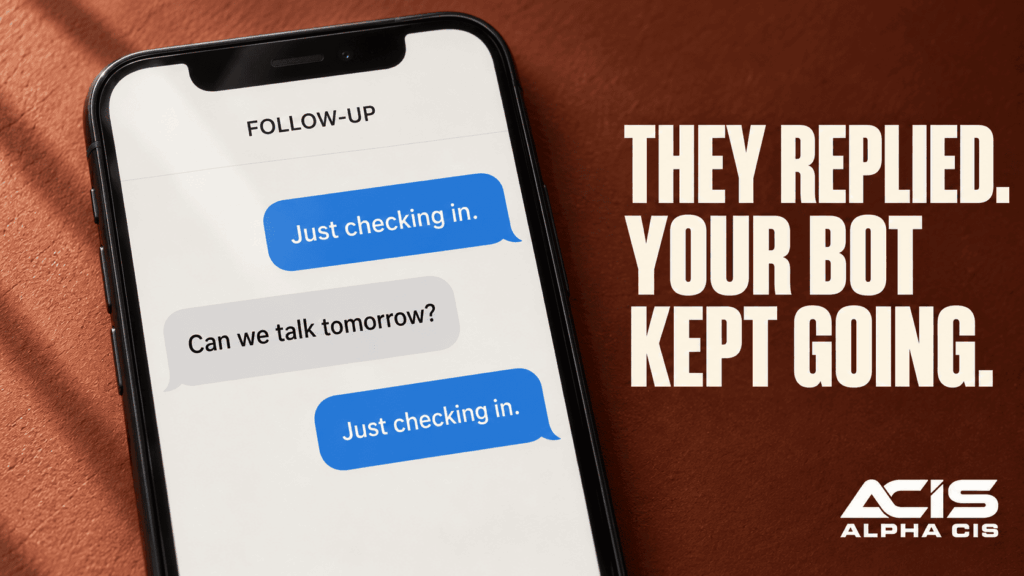
- Continuing automation after a human jumps in. A salesperson starts a real conversation, and the bot keeps emailing on top of it. This one destroys trust fastest.
Mistake to watch for: the most common one we see with small business owners is continuing the automated sequence after a real reply comes in. If your tools aren’t connected, this happens constantly.
How to Make Automated Follow-Up Emails Feel Personal
You make automated emails feel personal by using real data about the lead, their name, what they asked about, what page they visited, and what stage they’re at, instead of generic filler. Personalization isn’t about adding “Hi [First Name]” to a template. It’s about the content matching their actual situation.
A few practical ways to do this:
- Reference the specific service or product they inquired about.
- Mention the exact action that triggered the message (“I saw you checked out our pricing page”).
- Adjust tone and offer based on how far along they are (a first-time visitor needs education, a repeat visitor needs a reason to book a call).
- Use short, conversational sentences, the kind a person would actually type, not corporate copy.
Decision rule: if you can’t explain why a specific lead is getting a specific message, it’s not personalized enough yet.
Can You Automate Follow-Ups Without Sounding Robotic
Yes. Automation sounds robotic only when it’s disconnected from context, not because it’s automated. The fix isn’t to automate less, it’s to automate smarter.
“The goal isn’t to fool someone into thinking a human wrote every message. The goal is to make sure every message is timely, relevant, and useful.”
Think of automation as a very attentive assistant who never forgets to follow up, always has the lead’s file open, and knows when to step back and let you take the conversation. That’s the standard to build toward.
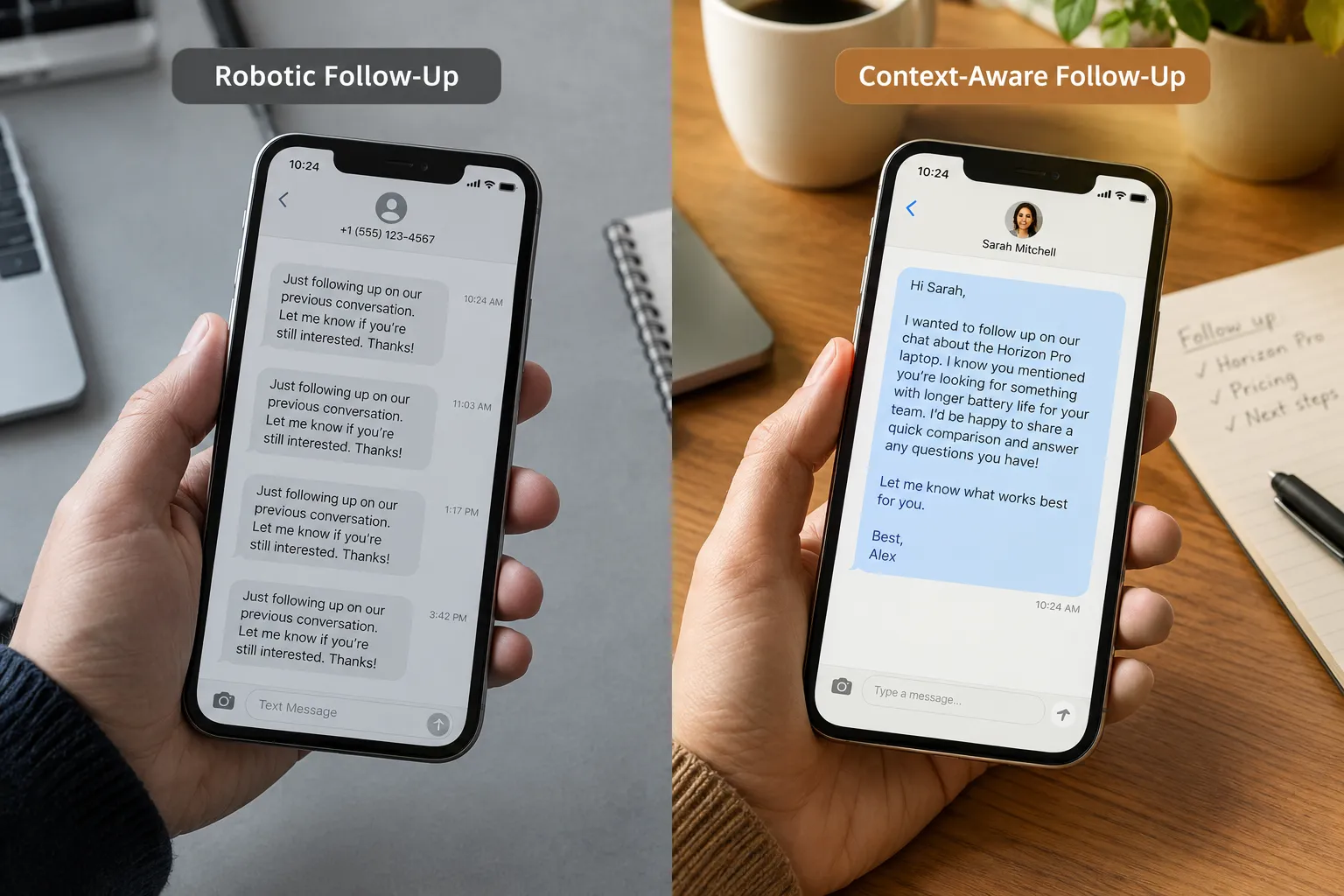
Example: Bad Automated Follow-Up vs. Useful, Context-Aware Follow-Up
Bad automated follow-up:
“Hi there! Just checking in, have you had a chance to look at our services? Let us know if you have questions!”
Sent three days in a row, to every lead, regardless of what they asked or said.
Useful, context-aware follow-up:
“Hi Sarah, thanks for asking about our commercial cleaning packages for your office on Peachtree Street. I put together a quick breakdown of pricing for a space your size, want me to send it over, or would a 15-minute call work better?”
The second message references the specific inquiry, the location, and offers two clear next steps. It reads like a person wrote it, because it’s built from real information, even though a system sent it automatically.
How Often Should You Automatically Follow Up With Leads
There’s no fixed number that works for every business. The right frequency depends on the lead’s behavior, not a calendar. A lead who opens every email but doesn’t reply needs a different cadence than one who goes silent completely.
A reasonable starting framework:
| Lead behavior | Suggested follow-up pace |
|---|---|
| New inquiry, no response | Within 5 minutes, then again at 24 hours |
| Opened emails, no reply | Every 3-4 days for two weeks |
| No opens at all | Once a week, then pause |
| Replied with a question | Stop automation, human responds |
| Asked to be removed | Stop immediately, no exceptions |
Common mistake: sticking to a rigid 7-day drip no matter what the lead does. Behavior should change the pace, not a preset calendar.
Common Mistakes People Make With Lead Automation
The biggest mistake is treating automation as “set it and forget it” instead of a system that needs rules for exceptions. Automation fails when businesses don’t plan for what happens when a lead actually responds.
Other frequent mistakes:
- Using the same sequence for every lead type (a cold lead and a referral shouldn’t get identical emails).
- Never testing messages on a real phone screen, where formatting often breaks.
- Letting automation run without connecting it to the CRM, so the salesperson has no idea what’s already been sent.
- Forgetting to set an end date, so leads get messages for months after going cold.
Is Automated Follow Up Right for Small Businesses
Yes, automated lead follow up is often more valuable for small businesses than large ones, because small teams don’t have the staff to manually track every lead. A lean team with no dedicated marketing person benefits the most from a system that handles the repetitive work.
This is especially true if your business:
- Gets leads from multiple sources (website, referrals, ads) that are hard to track manually.
- Has one or two people handling sales on top of other responsibilities.
- Has lost deals in the past simply because nobody followed up in time.
Automation isn’t the right fit if your lead volume is extremely low (a handful a month) and you can comfortably call every single one the day they come in. But for most growing service businesses, manual follow-up breaks down fast.
How to Write Follow-Up Sequences That Convert
A follow-up sequence converts when each message has one clear purpose and one clear next step. Sequences fail when they try to say everything at once or repeat the same pitch with different words.
A simple structure that works well:
- Message 1 (immediate): Confirm you received their inquiry and set an expectation for next steps.
- Message 2 (1-2 days later): Answer a likely question based on what they asked about.
- Message 3 (4-5 days later): Share a quick case study or relevant result from a similar client.
- Message 4 (7-10 days later): Make it easy to say no, ask if now isn’t the right time and offer to check back later.
Each message should end with one clear action: reply, book a call, or click one link. Not three options at once.
What’s the Difference Between Email Automation and CRM Follow-Up
Email automation sends messages on a schedule. CRM follow-up tracks the entire relationship, emails, calls, texts, website visits, and triggers actions based on all of it together. Email automation alone works in isolation. CRM-driven follow-up works with full context.
| Feature | Email automation only | CRM-driven follow-up |
|---|---|---|
| Sees lead’s full history | No | Yes |
| Triggers based on behavior | Limited | Yes |
| Alerts sales rep on reply | Rarely | Yes |
| Tracks calls and texts too | No | Yes |
This is the difference between a tool that sends messages and an all-in-one platform that actually manages the relationship.
Should You Use Templates or Personalize Every Follow-Up
Use templates as the foundation, then personalize each one with real lead data before it sends. You don’t need to write every message from scratch, and you shouldn’t send a template with zero customization either.
A workable approach:
- Build 4-5 solid templates covering common scenarios (new inquiry, no response, pricing question, referral lead).
- Set up merge fields that pull in the lead’s name, service interest, and trigger action automatically.
- Review and adjust tone for high-value leads before anything sends, if your system allows a review step.
Edge case: high-ticket B2B leads (deals over a certain size) often deserve a human-written first message, even if everything after that is automated.
When Does Automated Follow-Up Become Spam
Automated follow-up becomes spam the moment it ignores a reply, continues after someone opts out, or sends the same message repeatedly with no new information. Volume alone doesn’t make something spam, irrelevance and disregard for the lead’s response does.
Clear signs you’ve crossed the line:
- A lead replied days ago, and the sequence is still running.
- The lead unsubscribed, but automation kept going because two systems weren’t connected.
- The same offer repeats five times with no new detail.
Decision rule: if a message could be mistaken for being sent to the wrong person, it’s too generic and risks feeling like spam.
How to Combine Automation With Personal Touches
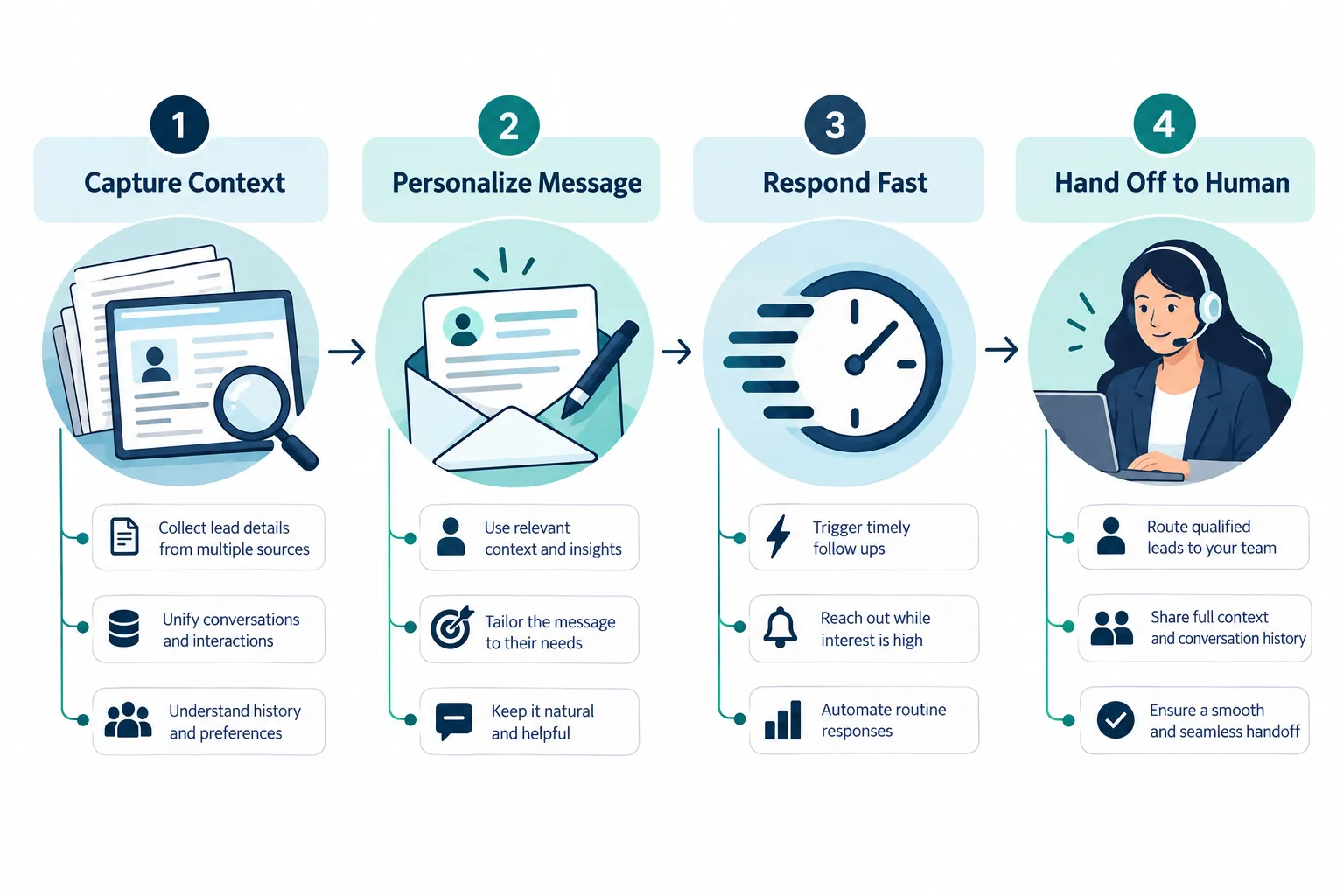
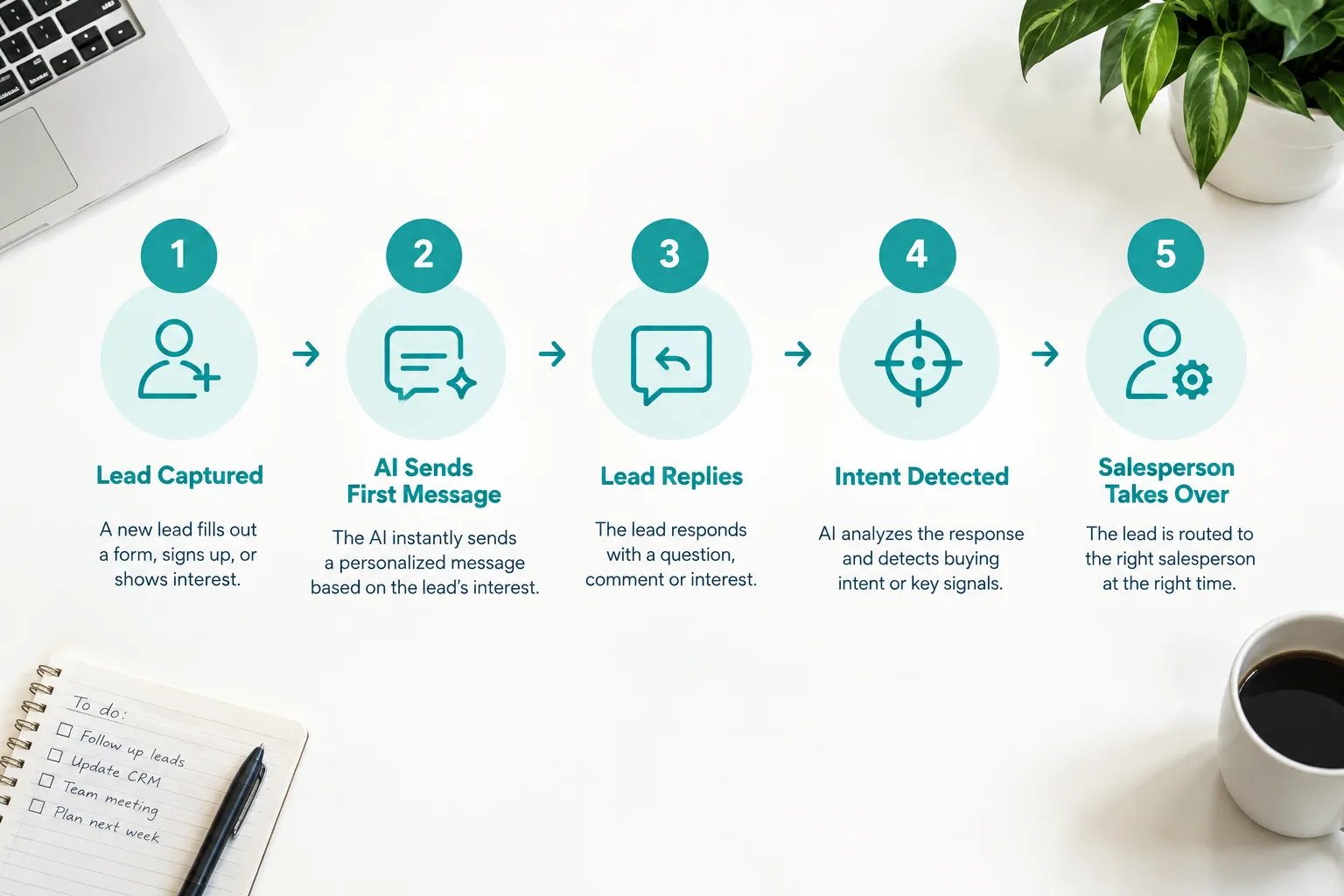
Combine automation with personal touches by using automation for speed and consistency, and reserving human time for moments that matter most, questions, objections, and buying signals. The system should do the repetitive work so your team can do the relationship work.
This is where CRM, AI, and automated follow-up work together as one system:
- CRM holds the lead’s full history and status.
- AI-powered lead capture gathers details the moment someone fills out a form, so the first message already has context.
- Automated follow-up systems send timely, relevant messages based on that context.
- A real person steps in the moment a lead asks a specific question, pushes back, or shows clear buying intent.
When Should Automation Stop and a Salesperson Take Over
Automation should stop the moment a lead replies with a real question, objection, or request, not after the next scheduled message. Any delay here is what makes automation feel cold, because the lead notices they’re talking to a machine that didn’t notice they spoke.
Clear handoff triggers:
- The lead asks a specific question (“Do you service Marietta?”).
- The lead requests pricing, a call, or a proposal.
- The lead expresses frustration or confusion.
- The lead mentions a timeline or budget.
A well-built system flags these moments instantly and notifies a human, pausing automation at the same time.
What Conversion Rate Should You Expect From Automated Follow-Ups
There’s no single conversion rate that applies to every industry, so be cautious of anyone promising a guaranteed number without knowing your business. Conversion depends on lead quality, response speed, and how personalized the sequence is. What’s consistently true: leads contacted within minutes convert better than leads contacted hours or days later, because speed signals attentiveness.
Instead of chasing an industry average, track your own baseline: measure reply rate and booked-call rate before and after adding automated follow-up, then improve from there.
Automation Readiness Checklist
- Leads get a reply within 5 minutes of inquiry
- Messages reference the specific service or page they viewed
- Sequence stops automatically when a lead replies
- CRM and email tool share the same lead record
- Someone reviews message performance monthly

