
Small Business CRM Automation: Stop Wasting Time on These

What Is CRM Automation and How Does It Work?
CRM automation is the use of pre-set rules inside your CRM to trigger actions automatically, without someone manually doing the work each time. When something happens, like a new form submission, the system responds based on rules you set up once.
Think of it as a set of “if this, then that” instructions sitting inside your CRM. You decide the trigger. The system handles the action.
Here is a simple version of what that looks like in practice:
- New inquiry comes in through a web form, phone call, or chat.
- Contact created automatically in the CRM, with source and details attached.
- Salesperson notified by text or app alert within seconds.
- Immediate response sent to the lead, confirming you received their request.
- Follow-up task scheduled for the assigned rep.
- Appointment booked through a calendar link tied to the CRM.
- Pipeline updated to reflect the new stage.
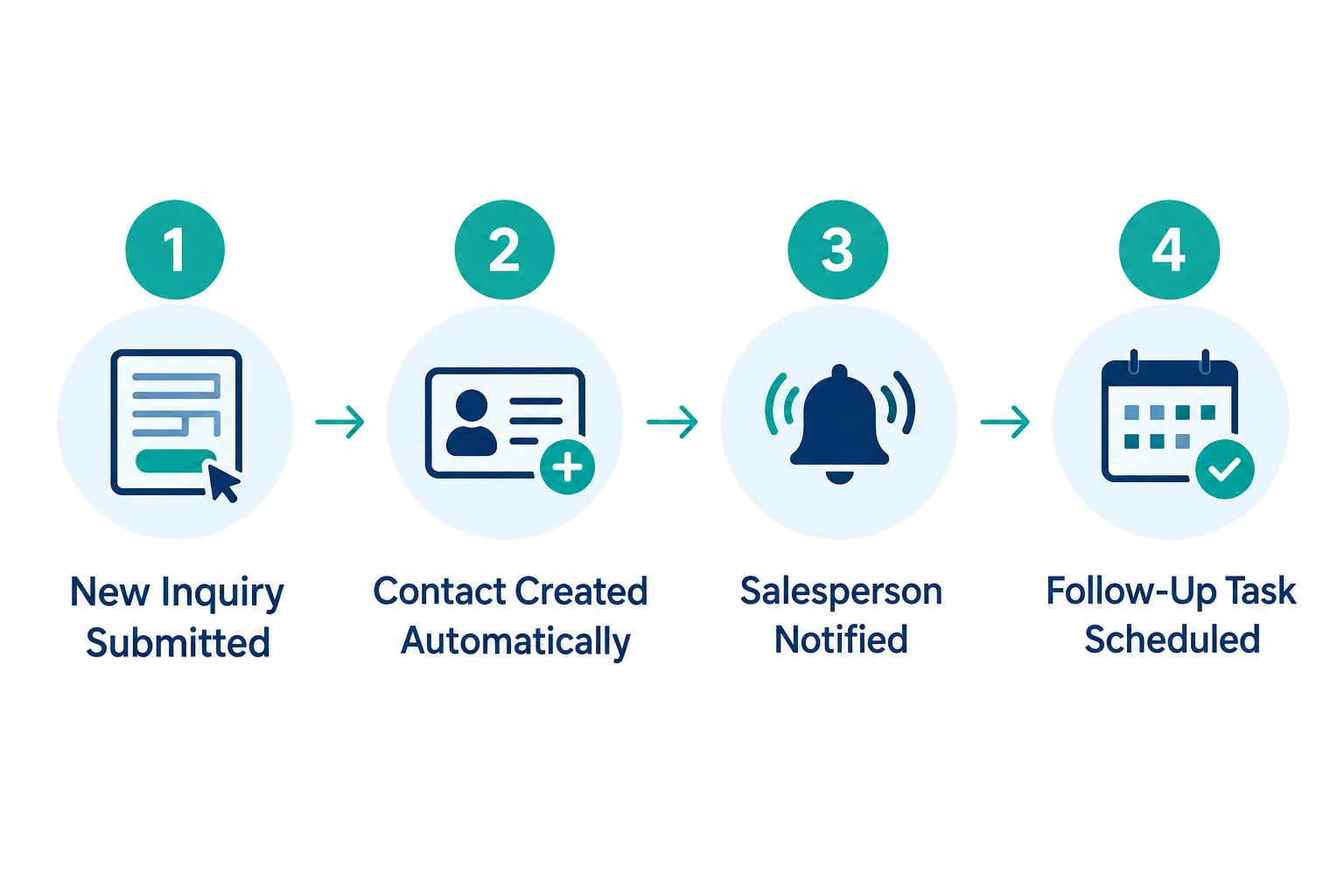
Every step above happens without anyone touching a keyboard. That is the whole point. CRM automation removes the manual busywork between a lead raising their hand and a real conversation starting.
Which CRM Tasks Should I Automate for My Small Business?
Automate the tasks that are repetitive, time-sensitive, and don’t require judgment. These are the jobs machines do better than people, mainly because they never forget, never get tired, and never put it off until tomorrow.
Here are the strongest candidates:
- Capturing new leads the moment they fill out a form, call, or message you.
- Creating contacts automatically so no lead gets lost in an inbox or sticky note.
- Assigning leads to the right rep based on territory, service type, or availability.
- Sending immediate acknowledgments so the lead knows you received their request.
- Creating follow-up tasks so reps know exactly who to call and when.
- Appointment reminders that cut down on no-shows.
- Updating pipeline stages when a clear, rule-based event happens (a form is submitted, a meeting is booked, a quote is sent).
- Lead nurturing through scheduled emails or texts for leads who aren’t ready yet.
- Internal notifications that alert a manager when a deal stalls or a VIP lead comes in.
- Reactivation campaigns that reach out to old leads or past customers on a schedule.
- Review requests sent automatically after a job or project wraps up.
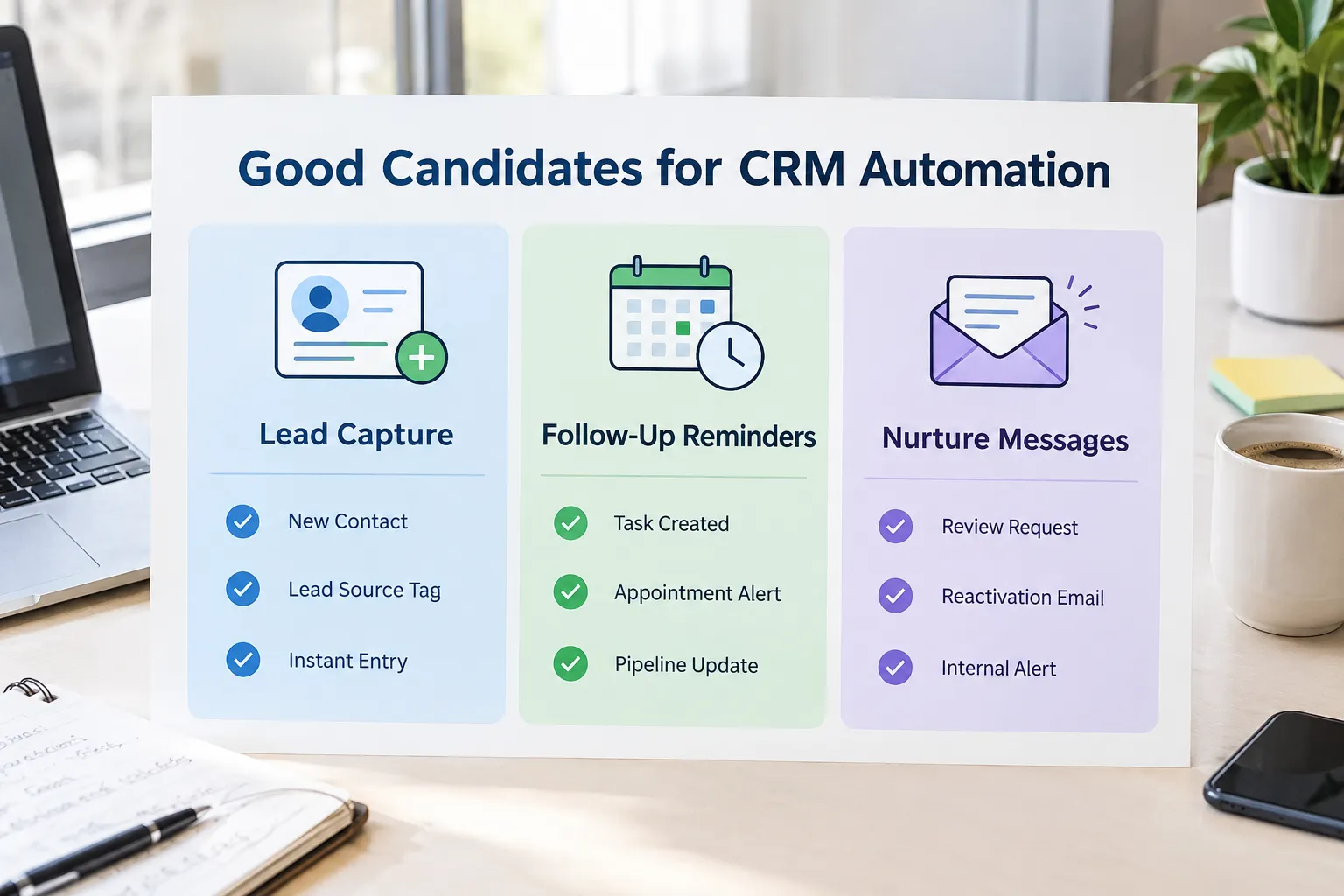
Decision rule: if the task follows the same steps every single time, automate it. If it changes based on tone, emotion, or circumstance, it probably shouldn’t run on autopilot.
What CRM Processes Shouldn’t Be Automated?
Complex sales conversations, sensitive customer problems, negotiations, and big account decisions should stay with a real person. These moments carry weight. A template response can’t read the room the way a human can.

Here’s where we draw the line:
- Complex sales conversations where a prospect has specific objections or custom requirements.
- Sensitive customer problems, like a billing dispute or a service failure.
- Negotiations on price, scope, or contract terms.
- Relationship building with long-term clients or referral partners.
- Important account decisions, including upsells, renewals, or churn risk.
- Situations requiring judgment or empathy, such as a frustrated customer or a delayed project.
Automate the process. Not the relationship.
That line sums up the whole philosophy. A CRM can remind your team to call a client. It cannot replace the call. If you let a bot “handle” a complaint, you risk turning a fixable problem into a lost customer.
CRM Automation vs. Manual Processes: Pros and Cons
CRM automation beats manual work on speed, consistency, and follow-through. Manual processes still win when a situation needs nuance, empathy, or a judgment call no software can make.
| Factor | CRM Automation | Manual Process |
|---|---|---|
| Speed of response | Instant, 24/7 | Depends on staff availability |
| Consistency | Same every time | Varies by person and mood |
| Cost over time | Lower once set up | Higher as volume grows |
| Handling complex issues | Weak | Strong |
| Personal touch | Limited | Strong |
| Risk of errors from fatigue | None | Possible |
Common mistake: assuming “more automation” always means “more growth.” In reality, the goal is fewer dropped leads and faster response times, not fewer human conversations.
How Much Does CRM Automation Cost for Small Businesses?
CRM automation costs range from free (built into many starter CRM plans) to a few hundred dollars a month for a fully managed, done-for-you system. The price depends on how much setup, customization, and ongoing support you need.
Rough cost tiers to expect:
- DIY on a free or low-cost CRM plan: little to no extra cost, but you build every workflow yourself.
- Mid-tier CRM with built-in automation tools: typically a monthly subscription per user, plus your time to configure it.
- Done-for-you setup with an agency or partner: a one-time build fee plus a monthly platform cost, but the system is ready from day one and built and implemented for your business.
Edge case: if you’re already paying for three or four disconnected tools (a CRM, an email tool, a texting app, a scheduling app), the “cheap” DIY route often ends up costing more in wasted subscriptions and staff hours than a single all-in-one platform.
Best CRM Automation Tools for Small Teams
The best CRM automation tool for a small team is one that combines contact management, communication, and automated follow-up in a single platform, so you’re not stitching together five separate apps. Look for built-in texting, email, and web forms, not just basic contact storage.
When comparing options, check for:
- Native lead capture from your website and ads.
- Automated follow-up systems that text and email without manual triggers.
- Simple visual workflow builders (no coding required).
- Clear reporting so you can see what’s actually working.
This is exactly the gap we built SalesHubHQ to close. Instead of juggling a CRM, a website, and a separate automation tool, we give you a complete done-for-you system: a free smart website built for you, AI-powered lead capture, and automated follow-up systems, all inside one all-in-one platform.
How to Set Up CRM Automation Without Technical Skills
You don’t need coding knowledge to set up CRM automation. Most modern CRMs offer visual, drag-and-drop workflow builders, and many small businesses choose to have the whole system built for them instead of learning it from scratch.
If you’re setting it up yourself, follow this basic checklist:
- Map your current process on paper first (what happens from first contact to close).
- Identify the repetitive steps that happen the same way every time.
- Build one workflow at a time, starting with lead capture and first response.
- Test every workflow with a dummy lead before going live.
- Review results after two weeks and adjust timing or messaging.
No tech knowledge required when you go the done-for-you route. We build the website and content, connect the forms, and configure the follow-up sequences, so leads are captured and nurtured automatically from day one.
Common Mistakes When Automating CRM Workflows
The biggest mistake is automating too much, too fast, without checking how it feels from the customer’s side. Excessive automation creates irrelevant messages, robotic communication, poor timing, and a customer experience that feels cold.
Watch for these warning signs:
- Irrelevant messages: a nurture email going out after the lead already bought.
- Robotic communication: templated language with no personal detail, sent to every contact the same way.
- Poor timing: a reminder text landing at 11 p.m., or three messages hitting someone in one hour.
- Bad customer experience: a client feeling like they’re talking to a machine when they have a real problem.
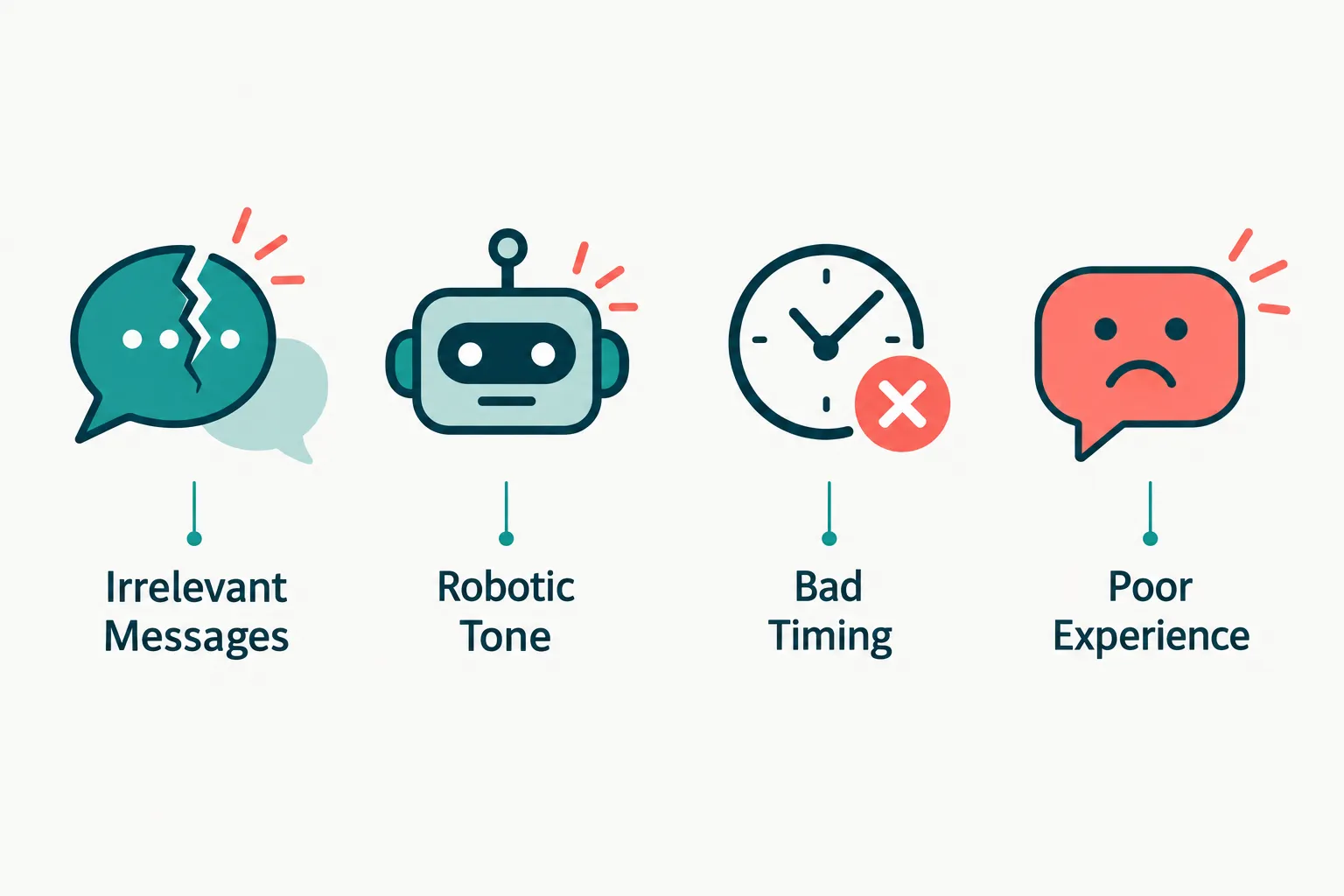
What happens if CRM automation goes wrong: leads get annoyed, unsubscribe, or worse, leave bad reviews about feeling spammed. The fix isn’t to abandon automation. It’s to review your workflows regularly and keep a human checkpoint on anything emotional or high-stakes.
Can CRM Automation Hurt Customer Relationships?
Yes, CRM automation can hurt relationships if it replaces conversations that should happen person-to-person. The damage usually comes from tone, timing, or a lack of a real exit point when a customer needs to talk to a human.
This is why we built SalesHubHQ around a simple idea: automation should capture and organize, not replace judgment. The system handles the busywork, follow-up timing, and reminders. Your team still owns every conversation that actually matters, like a complaint, a negotiation, or a big decision.
Quick example: a landscaping company automates appointment reminders and review requests. That’s safe. But when a client calls upset about a damaged fence, that call goes straight to a manager, not a chatbot script. The process is automated. The relationship isn’t.
CRM Automation for Sales vs. Customer Service: Which Matters More?
Neither matters more on its own. Sales automation protects your pipeline from dropped leads, while service automation protects your reputation after the sale. Most small businesses need both, just in different proportions depending on their business model.
- Sales-heavy businesses (consulting, home services, B2B firms) should prioritize lead capture, assignment, and follow-up automation.
- Service-heavy businesses (ongoing contracts, subscriptions, recurring clients) should prioritize check-in reminders, review requests, and reactivation campaigns.
Decision rule: if most of your revenue comes from one-time sales, automate the top of the funnel first. If most of your revenue comes from repeat business, automate the post-sale relationship touchpoints first.
CRM Automation for B2B vs. B2C Businesses
B2B businesses typically automate around longer sales cycles and sales-stage tracking, while B2C businesses automate around higher lead volume and faster nurture sequences. The core tools are similar. The timing and triggers are different.
- B2B service companies often need automation tied to pipeline stages, like moving a deal from “quoted” to “negotiating” after a proposal is sent.
- B2C businesses often need automation tied to behavior, like a cart abandonment text or a same-day appointment reminder.
For Metro Atlanta B2B service firms specifically, the highest-value automation usually sits at the top of the funnel (lead capture and first response) and mid-funnel (task creation and pipeline updates), since deals move slower and depend on trust built over several touches.
How Long Does It Take to See ROI from CRM Automation?
Most small businesses start seeing time savings within the first few weeks of launching core automations, like instant lead response and follow-up task creation. Full ROI, measured in closed deals and reduced lead leakage, typically shows up over one to three months as workflows get refined.
Factors that speed up ROI:
- Starting with high-volume, repetitive tasks first (lead capture, follow-up).
- Keeping workflows simple before adding complexity.
- Reviewing results weekly in the first month, then monthly after that.
Common mistake: expecting instant results from every workflow on day one. Automation compounds. The real payoff shows up when leads stop falling through the cracks week after week.
Is CRM Automation Worth It for Solopreneurs?
Yes, CRM automation is often more valuable for solopreneurs than for larger teams, because a solo business owner has no backup to catch a missed lead. Automated follow-up systems act like a team member who never sleeps, never forgets, and never gets distracted mid-call.
For a solopreneur, the priority list looks like this:
- Instant lead acknowledgment, so prospects don’t go cold while you’re on a job site or in a meeting.
- Automatic follow-up task reminders, so nothing slips through the cracks.
- Appointment booking and reminders, to cut down on no-shows.
- Review requests, since reputation often drives the next sale.
This is also where a complete done-for-you system matters most. A solo operator rarely has time to build workflows from scratch, which is exactly why “built and implemented for your business” beats “figure it out yourself” for this group.

